
Requirements
Server software PHP version
PHP 5.4+
PHP 5.4+ (PHP 7.x and PHP 8.x are supported too), memory_limit at least 128M and safe_mode = off*;
IonCube loader
Encoded scripts protected by IonCube require free Ioncube loaders version 5.0 or greater to run. The loaders can be downloaded and installed on many systems. For PHP 7.x, you will need Ioncube loaders v. 6+ or newer. For PHP 8.x, you will need Ioncube loaders v. 12+ or newer.
You can download this installation wizard for IonCube, which will test your system and say exactly how to install the loaders. In case the loaders are already installed the tester script will tell you this too. (For server-wide configuration you need to restart apache, if applicable...).
GD 2+ library, optionally ImageMagick
Normally GD library is always bundled with any PHP installation, whereas ImageMagick does not. AJAX-ZOOM supports both imaging libraries. GD library is needed in each case. Installing ImageMagick on your system is optional and may require root privileges. Ask your system administrator to install the latest ImageMagick if you want to use it!
Server software ASP.NET version (without installing PHP)
Ajax-Zoom PHP component can run efficiently on ASP.NET 4.0 as a native fully managed 64-bit .NET application, as a part of ASP.NET web site. This is achieved thanks to "Phalanger" PHP compiler.
Microsoft .NET 4.0 (full)
Using the "Phalanger" PHP compiler, which is included in the download package, any other PHP interpreter is not supposed to be installed on your server! A fully fledged .Net Framework application pool is required.
IIS 7+
IIS 7 (or later) with ASP.NET 4.0 Web Site configured or Visual Studio 2010 for development.
The basic installation for ASP.NET (not PHP) is fairly easy:- Extract the download package somewhere into ASP.NET site.
- Ensure folder
\Bin\Dynamicis writable for your IIS user account. - Ensure folders
\pic\{cache|temp|zoomthumb|zoomgallery|zoomtiles|zoommap|zoomtiles_80|*}are writable - Merge provided "web.config" into your "web.config"
- Example project: you can extract the archive into the root of your ASP.NET server, or open it as an existing web site from Visual Studio 2010 from any location (note you must set empty "Virtual Path" in "Properties" of the web site) . Also you might need to set "Enable 32-Bit Applications" under Advanced Settings -> General if you have 64bit operating system.
- If you experince any troubles try to adjust:
- $zoom['config']['fpPP']
- $zoom['config']['installPath']
- $zoom['config']['urlPath']
- $zoom['config']['rewriteBase']
$zoom['config']['urlPath'] = '//localhost:3990';or whatever port you are using
Server hardware
The hardware requirements are basically determined by the image quality, its size and server load. More RAM and faster processor are always better. To make image tiles for an 15 MP, 6 MB large image in acceptime (about 3 - 10 seconds, depending on processor and load) you will need about 128 MB of free RAM, which is actually nothing these days.
Of course processing ultra high resolution images requires more power and a couple GB of free RAM, but with AJAX-ZOOM it is still possible, e.g. it took us about 2 minutes to process a 420 MP and 200 MB large image with 4GB RAM producing about 4.000 tiles (384x384px) with a total size of 350 MB. Please note, that this procedure has to be executed just once for each image. Generating a zoom image out of tiles usually takes about 0.04 - 0.1 seconds, with watermarking a little longer.
Nevertheless the above benchmarks are highly variable, depend on server load and available hardware resources and therefore should be regarded as approximates.
If image tiles are loaded directly during zoom - pyrLoadTiles, wich is the case in all examples except example1.php, virtually no server resources except traffic are consumed!
With the "unlimited" license you can use Zoomify tiles format with AJAX-ZOOM to display gigapix images or 360 spins . See here to find out how it works.
JavaScripts
All JavaScripts files are included in the download package, no need to download them separately!
jQuery 1.6.0+
It is always recommended to use the latest sversion of jQuery. Versions like 1.6.0 should not be used. Also jQuery 1.9.0 and 1.9.1 should not be used!!! If you want to support older Internet Explorer versions, then do not use jQuery 2.x;
jQuery UI 1.8+
ui.core.js, ui.draggable.js, ui.mouse.js, ui.slider.js, ui.widjet.js, effects.core.js'; If not already present, the UI library is dynamically byloadeded. In case necessary components of the UI are not present, then the UI from the same version is byloaded from Google CDN. One of the middle term goals is to get rid of jQuery UI dependency as it is not really needed.
Skills
Unless you are using an AJAX-ZOOM module / plugin, some basic skills in HTML, CSS, PHP and JavaScript are usually required to make things work. It is recommended to start with the examples and adjust the source as you need. Provided that server requirements are met AJAX-ZOOM should work out of the box.
How to install
Moduls
For module installation please check the corresponding module page:







Manual installation
The following description is primarily for manual installation. For modules, please check the corresponding module page.
- Download zip package, unpack and upload everything to a public directory on your server.
- Make sure IonCube loaders are running correctly.
- To get started right away You need to set permissions for the folders where AJAX-ZOOM (PHP User) will write (e.g. chmod 0775 or 0777) the thumbnails, temporary files and the image tiles. These folders are defined in '/axZm/zoomConfig.inc.php', on default these are all folders under /pic except "zoom" und "zoom3d"):
- The download package contains an empty folder structure with some sample images in it (e.g. \'/pic/zoom/animals\'). You could copy your images into these folders to get the provided examples to "work out of the box".
- If in the provided examples You are getting javascript errors, broken layouts or images do not appear, please check if the following paths produce correct results and set them manually as needed:
- Adjust the options in
/axZm/zoomConfig.inc.phpor better in/axZm/zoomConfigCustom.inc.phpfile to suit your needs. All options are explained inline in/axZm/zoomConfig.inc.phpand also below on this page.
Define the images
There are several ways to tell AJAX-ZOOM which images need to be loaded. Almost any example can be modified to load other images in different ways. A good overview of parameters, which can be passed to AJAX-ZOOM and which define which images to load, can be found in this example - example27.php
Image protection checklist
If you want to prevent users to download your high resolution source images, make sure there is no access over http to the directories where your source images reside. You can protect these directories with .htaccess;
Define a watermark image or text for the first image and the zoomes.
Options & Settings
Unlike most other jQuery plugins options are defined in the PHP file - /axZm/zoomConfig.inc.php;
this is because the options are used both - by JavaScript and PHP.
In file /axZm/zoomConfigCustom.inc.php some of the options may be overridden depending on the parameter
$_GET['example'] passed over the query string in the examples!
All options are set in the array $zoom['config'] e.g. $zoom['config']['picDim'] = '600x400';
You will also find the description of the options inline, whereby online the documentation is updated on the regular basis.
Each example in the download package uses a special configuration options set.
Default options in /axZm/zoomConfig.inc.php are overridden in zoomConfigCustom.inc.php which is included at the bottom of zoomConfig.inc.php.
This happens by passing an extra parameter example=[some value] to AJAX-ZOOM directly from examples or plugins over query string.
To find out which "example" value is used see sourcecode of the implementation in question or inspect an ajax call to /axZm/zoomLoad.php
with Firebug or an other developer tool. Thus your specific options set can be found in "zoomConfigCustom.inc.php"
after elseif ($_GET['example'] == [some value]){. Please note that the value of example parameter passed over the query string to AJAX-ZOOM
does not correspond to the number of an example found in /examples folder of the download package.
Because AJAX-ZOOM is updated very frequently and its options base grows accordingly, the best practice is to copy options you need to change
from zoomConfig.inc.php to zoomConfigCustom.inc.php after elseif ($_GET['example'] == [some value]).
Ofcourse you can create your own [some value] in zoomConfigCustom.inc.php. By keeping zoomConfig.inc.php as it is
($zoom['config']['licenceKey'] and $zoom['config']['licenceType'] can be copied as well)
you will be able to update your customized implementation by simply overwriting all files except zoomConfigCustom.inc.php and custom css file.
You can also create zoomConfigCustomAZ.inc.php file and place it outside of
/axZm directory (same level). This way you could place your custom configurations in this file and overwrite
the entire /axZm directiry during future updates.
Also it is possible to put the zoomConfigCustomAZ.inc.php
one level up, e.g. if your have a structure like /modules/ajaxzoom/axZm, you could also place
the file into /modules/zoomConfigCustomAZ.inc.php modules folder, so when ajaxzoom module is updated,
your individual settings do not get lost.
General settings
| Option | Type | Description |
|---|---|---|
| licenceKey | string | The Licence Key or 'demo'. In demo mode there is a restriction of 3.2 megaPix images, e.g. (2048 x 1536 px). If You would like to test AJAX-ZOOM with high resolution images prior to purchase You can receive the "Evaluation License" free of charge. Contact the support to get the License Key for your internet domain by giving the URL to the working demo or implementation of AJAX-ZOOM on your server. |
| licenceType | string |
Type of the licence: 'Evaluation', 'Developer', 'Basic', 'Standard', 'Business', 'Corporate', 'Enterprise', 'Unlimited', 'Simple' |
| licenses | array | Array to define more than one license for different domain names. |
| simpleMode | mixed | Ver. 5.3.0+ Load original images instead of image tiles on zoom. Automatically activated when $zoom['config']['licenceType'] is "Simple". Set to true to activate, set to false to deactivate. Exclusive for "Unlimited" version: set to an integer value, e.g. 5000000 to automatically activate simpleMode only, if the image size is less than 5 megapixels (5 million pixels). Please note: if you are using an AJAX-ZOOM plugin / module for e.g. Prestashop or Magento, and simpleMode is activated, you should check that "deny from all" line in .htaccess file from the directory, the plugin saves the 360 images, is removed from .htaccess file. Do not delete the file, only that line please. In this blog post about "simpleMode" option you can see a comparison between multiscale image tiles and direct loading of the original image at different resolutions. |
| lang | string | ISO language, e.g. 'en' |
| memory_limit | string | Set memory limit for heavy operations like image tiling, e,g, '4000M'; |
| cropNoObj | bool |
Each time AJAX-ZOOM requests a portion of an image, it passes (along with the parToPass - see above) the query string parameter zoomID to the file
zoomLoad.php; zoomID serves as identifier to choose the desired image out of the array with images (see defining the images),
whereby zoomID is the numeric key in this image array. In some cases it could be not preferable to generate the image array for each zoom request. Setting this option to true will skip the generation of the image array and pass the image filename and its absolute path instead of zoomID. The advantage of enabling this option is a slight speed enhancement. The disadvantage is that anyone could see the location of the original image. (The folder with original images can however be easily .htpasswd protected) |
| autoBackColor | bool | Automatically set background color, useful if background color is solid e.g. white or black. |
| cTimeCompare | mixed | Compare the creation time of the original image with the creation time of the various cached images made by AJAX-ZOOM. In case the creation time of the original image is newer, all AJAX-ZOOM images will be renewed. This could happen if the original image is overwritten with a completely different image after, for example, the image tiles are already created. Or the image has been overwritten bei the same image with larger resolution. Possible values: false, "filectime", "filemtime" |
| exifAutoRotation | bool | Autorotate images depending on EXIF information written by the camera. Source images must be writable by PHP. |
| visualConf | bool | Appends visual configuration under the zoom for testing purposes, like in example 1. This option is experimental and besides demonstration it is meant to be in the backend of a larger system for dynamic configuration. It should be expanded in the feature versions. As for now it is a quick & dirty solution to demonstrate some options and not more than that. |
| picDim | string | Max dimensions for initial image, e.g. '600x400'. Changing this setting will also change the entire dimensions of the player, if it is inited in none responsive way. |
| stepPicDim | array | Array with additional inital images (picDim), which are loaded depending on viewer size / resolution. |
| stepPicPreload | bool | If stepPicDim is not empty, additional initial images will be predicted and preloaded. |
| stepPicOnZoom | bool | If stepPicDim is not empty use "more suited" preview images also on zoom |
| subfolderStructure | string, bool |
Type of folder, subdolder structure for preview images, tiles and thumbnails. Default: "char", Possible values:
|
| subfolderStructureChmod | octal | Chmod for subfolderStructure |
| enlargeSmallImage | bool | Enlarge image if width and height of the source image is smaller than picDim. |
| firstImageDialog | bool | Display a dialog after initial images have been generated. |
| gravity | string |
The viewpoint (viewport) when the user clicks on the the image to zoom in or out.
Possible values:
|
| traveseGravity | string |
Behavior of panning, when the image is zoomed to 100% (max zoom) and the user clicks on the image.
Possible values:
|
| zoomOutClick | bool | Being at 100% zoom one more click will restore the zoom so the whole image is visible. |
| disableZoom | bool | Disable zoom function completly. |
| disableZoomExcept | array | Exception events when Zoom function is disbled. Possible (multiple) values: zoomInClick, zoomOutClick, areaSelect, onSliderZoom, onZoomInButton, onZoomOutButton, onButtonClickMove_N, onButtonClickMove_E, onButtonClickMove_S, onButtonClickMove_W, onMouseWheelZoomIn, onMouseWheelZoomOut |
| disableClickZoom | bool | Disable zooming for click or double click. |
| pinchZoomOnlyDrag | bool | Zooming with pinch zoom is disabled, instead the user will be only able to drag / pan. |
| iMagick | bool | Use ImageMagick for all image processing. Overrides all other options regarding the choice between GD and ImageMagick. |
| im | bool |
Use Imagemagick to crop images, make initial images and thumbs. If set to false, GD will be used.
See also: $zoom['config']['pyrProg'] (make tiles prog) $zoom['config']['pyrStitchProg'](stitch tiles prog) |
| imKeepProfiles | bool | Keep color and other profiles for all operations processed with ImageMagick. |
| imQuotes | mixed | Only for ImageMagick: remove or replace single quotes in exec string. Possible values: 'remove', 'replace' oder false. 'replace' will replace them to double quotes. |
| imLimit | array | Only for ImageMagick: limit memory and other settings. By default they are set to a very high value and automatically adjusted to available system resources. |
| imPath | string | Root path to imagemagick convert Ver. 6+, if You have one, e.g. '/usr/bin/convert'. On some installations it is sufficient to write 'convert' without the full root path. |
| qual | int | Output JPG quality for zoomed images, max. 100. See also pyrQual |
| qualPng | array | Output PNG quality for zoomed images. |
| qualRange | array | Alternatively to the above You can set a quality range depending on users internet connection speed. This speed is measured on the fly with images, which are downloaded anyway, therefore being possibly inaccurate. In the array You can set the low and upper ranges for JPG quality, e.g. between 40 and 90, and low and upper ranges for internet connection speed in kbit/s, e.g. between 128 and 768 |
| initPicQual | int | Output JPG quality for initial images. |
| initPicQualPng | array | Output PNG quality for initial images. |
| initPicInterlace | string, bool | Ver. 5.1.0+ Interlace initial images, possible values "Plane", "Line" or false |
| pngMode | bool | Generate PNG images, tiles etc. instead of JPG. Possible values: false, true, 'auto'; 'auto' will create png images only if source image is also PNG. |
| pngKeepTransp | bool | Keep transparent areas of the images when pngMode is enabled. When using GD2 the results might be not satisfactory (noice) depending on the compiled libs. We recommended to use ImageMagick instead. |
| pngBackgroundColor | string | Background color for transparent areas of the png image |
| notTouchUA | array | "Not touch device", array with possible strings within user agent string, e.g. array("webkit viewer", "somthing_else"); Enforces mouse events even if browser wrongly claims to have touch events. |
| postMode | bool | Use POST instead of GET for all AJAX requests. Can be overwritten by passing arguments to jQuery.fn.axZm, jQuery.fn.axZm.load oder jQuery.fn.axZm.openFullScreen |
| regexFilename | string | Regex for checking filename. |
| regexPath | string | Regex for checking paths. |
| fileTypeArray | string | Array which lists accepted image file types. Imagemagick could possibly process many other file types than the default settings. |
Major Directories and Filenames
| Option | Type | Description |
|---|---|---|
| fpPP | string | Server root path to www directory, e.g. '/srv/www/htdocs/web123' or '/home/yourdomain/public_html'. Usually it is $_SERVER['DOCUMENT_ROOT']; without slash at the end. Set this option manually if it does not produce correct results! This option is very important! |
| installPath | string | "Installation path", e.g '/test/ajax-zoom-test' (without slash at the end). Set this parameter to '' if you want to set the paths individually, where 'installPath' used as a prefix. On default this option is set by using the $axZmH->installPath() method, which is not alsways right. Set this option manually if installPath() does not produce correct results! |
| urlPath | string | "frontend" path which should be adjusted in some cases. On default "installPath" and "urlPath" have same values. |
| rewriteBase | string | Remove a part of the string (path) passed to AJAX-ZOOM from an application. Usefull if e.g. rewriteBase in htaccess is set the way that AJAX-ZOOM gets wrong paths for images e.g. Bitnami Magento and XAMPP on localhost, the path in the browser is http://192.168.178.27/magento, then the setup for making AJAX-ZOOM extension work would be: $zoom['config']['fpPP'] = 'C:/xampp/apps/magento/htdocs'; $zoom['config']['urlPath'] = '/magento/js/axzoom'; $zoom['config']['rewriteBase'] = '/magento'; |
| zoomLoadFile | string | Absolute path for the file zoomSess.php, e.g. '/axZm/zoomSess.php' |
| icon | string | Folder where icons are located, absolute path with a slash at the end! This folder should not be password protected! e.g. '/axZm/icons/' |
| js | string | Folder where JavaScript files are located, e.g. '/axZm/' |
| jsDynLoad | bool |
Dynamic load of all necessary jquery plugins and CSS files.
After a check weather plugins have already been loaded, the JavaScript and CSS files are loaded (injected into the HEAD section of HTML) automatically on start.
If true, there is no need to use the PHP class methods drawZoomStyle() and drawZoomJs() in HEAD of your HTML.
|
| jsMin | bool | If jsMin is true the minified versions of the JavaScript files will be loaded. |
| jsUiAll | bool | Load all jQuery UI moduls. Otherwise only modules needed by AJAX-ZOOM are loaded. Activate this option if you experience version conflicts or any other errors regarding the jQuery UI. |
| jsUiVer | string | jQuery UI version used by AJAX-ZOOM. |
| jsUiTheme | string | Easily switch between jQuery UI themes by changing the value of this option. The UI theme loaded is located under /axZm/plugins/jquery.ui/themes/[jsUiTheme]; You can create your own or import already existing. |
| jsUiSuppressJS | bool | Suppress loading jQuery UI JavaScript files. May result in JavaScript error if certain jQuery UI elements are not loaded otherwise. |
| jsUiSuppressCSS | bool | Suppress loading jQuery UI CSS files. Enable this option if all css classes are loaded otherwise by e.g. a template theme. |
| fontPath | string | Fonts directory path e.g. '/axZm/fonts/'. All font files (.ttf) have to be in the same directory. |
| pic | string | Base folder where original images are located, e.g. '/pic/zoom/'. This value can be overriden by passing full image path to AJAX-ZOOM. Please make sure, that PHP is allowed to open the files (chmod). The folder can be protected by e.g. .htaccess (deny from all) |
| thumbs | string | Folder, where initial images will be written into, e.g. '/pic/zoomthumb/'. Please make sure PHP can write to this directory (chmod)! |
| temp | string | Folder where to write temporary zoomed images, e.g. '/pic/temp/'. Please make sure PHP can write to this directory (chmod)! |
| gallery | string | Folder where to write the thumbs for gallery images, e.g. '/pic/zoomgallery/'. Please make sure PHP can write to this directory (chmod)! |
| tempCache | string | Folder where thumbnails generated with the API method $axZm->rawThumb() can be optionally cached, e.g. '/pic/cache/'. Please make sure PHP can write to this directory (chmod)! |
| sortBy | string | Sort images by some file information returned from php stat(), e.g. ctime, mtime; As per default settings images are sorted by their file names. |
| sortReverse | bool | Reverse sorting order of the images; |
| speedOptSet | bool | Makes AJAX-ZOOM to switch faster between images. With this setting several other options will be overridden at the end of zoomConfig.inc.php |
| jsonPath | string | 5.0.9+ Path for json files, see also $zoom['config']['jsonInfo'] |
Image Map

"Image map" is a small image, where the user can see the zoomed location and quickly pan the zoomed image. It can be positioned in all corners of the player, sized in accordiance to the player size and it can be placed even outside of the player.
| Option | Type | Description |
|---|---|---|
| useMap | bool | Enable image map. |
| mapParent | mixed | Parent DIV id (string) of the image map if you want to place it outside of AJAX-ZOOM. See example16.php |
| mapParCenter | bool | Center within parent container. |
| dragMap | bool | If activated, image map is draggable. |
| mapHolderHeight | int | If dragMap is activated, the holder height in px. CSS: .axZm_zoomMapHandle |
| mapHolderText | string | If dragMap is activated, the text string inside the holder. |
| zoomMapDragOpacity | float | If dragMap is activated, opacity while dragging, e.g. 0.7 (70%) |
| zoomMapSelOpacity | float | Opacity of the selector inside the image map, e.g. 0.25 (25%), CSS: .axZm_zoomMapSelArea |
| zoomMapSelBorder | int | Border width of the selector. |
| zoomMapContainment | string, bool | If dragMap is true, constrain draging image map within a certain div or other element, e.g. window or "#zoomAll". Use false to disable containment. |
| zoomMapAnimate | bool | Animate map while switching to a different image. |
| zoomMapVis | bool | Automatically hide image map if image is not zoomed. Map will appear after the user zoomes into the image. Use false for auto hide, true for map visible from the beginning. |
| mapFract | float | Image map size in percentage of picDim width, e.g. 0.25 (25%). |
| mapWidth | int, bool | Fixed map width in pixels. Overrides mapFract. |
| mapHeight | int, bool | Fixed map Height in pixels. Overrides mapFract. |
| mapButton | bool | Show the button for turning image map on and off. |
| mapBorder | array | Outer border width of the image map. You can set top, right, bottom and left border width separately. Please do not set this values in the css file. |
| zoomMapSwitchSpeed | int | Restore speed of the image (and image map) if the image is zoomed and the image is switched over gallery in ms, e.g 1000 (1 second); overrides restoreSpeed |
| zoomMapRest | bool | Restore position of the map on window resize. |
| mapPos | string | Position of the map! Possible values: 'topLeft', 'topRight', 'bottomLeft', 'bottomRight'; Map must be not dragable - dragMap set to false; |
| mapSelSmoothDrag | bool | Smooth flow of zoomed image while dragging the selector rectangle inside the image map. |
| mapSelSmoothDragSpeed | int | Smoothness speed in ms of map selector dragging, e.g. 1000 (1 second) |
| mapSelSmoothDragMotion | string | Smoothness motion of map selector dragging, e.g. 'easeOutSine' |
| mapSelZoomSpeed | int | Time in ms, after which the image loads automatically if the user stucks at one point while dragging the map selector, e.g. 400 (0.4 seconds) |
| mapSelClickZoomOut | bool | Ver. 5.1.0+ Click on selection area inside the map to zoom out |
| mapMouseOver | bool | Move selector inside zoom map by mouseover and not by dragging the selector. You can see it in example20.php. Does also work for touch devices. |
| mapMouseWheel | bool | If mapMouseOver is enabled, allow to zoom in and out using mousewheel. |
| mapHorzMargin | int | Horizontal margin from the edge of the Players. |
| mapVertMargin | int | Vertical margin from the edge of the player. |
| mapOpacity | float | Opacity of the map when mouse is not over it. |
| mapClickZoom | bool | On none zoomed state clicking at a point on the map will result into zoom to 100%. You can see it in example16.php. |
| mapOwnImage | bool, string | Define physical image dimensions for the map image e.g. "200x200" or false; |
| mapPath | string | Path where map images are stored when "mapOwnImage" is set to some size. |
| mapFilterIM | array | Some image filters like sharp or grayscale applied to the map image when using Imagemagick for processing. |
Description Area

Instead of using tooltips images descriptoin appears in a semitransparent box over the actual image. The description shows up when the user sticks with the mouse over a thumb in vertical or horizontal galleries. The definition of image descriptions can be done in zoomObjects.inc.php ($pic_list_data[$k]['fullDescr']), CSS: .axZm_zoomDescr or it can be done with JavaScript and AJAX-ZOOM JavaScript API. See also example25.php.
| Option | Type | Description |
|---|---|---|
| zoomShowButtonDescr | bool, string | Enable description for navigation buttons on mouseover. If true the next options apply equally for buttons mouseover. Possible values: left, right, true or false; |
| descrAreaTransp | float | Description area opacity, e.g. 0.5 |
| descrAreaShowTime | int | Showing animation time in ms, e.g. 200 |
| descrAreaHideTime | int | Hiding animation time in ms, e.g. 200 |
| descrAreaShowTimeOut | int | The delay in ms after which the description shows up, e.g. 500 |
| descrAreaHideTimeOut | int | The delay in ms after which the description automatically hides, if mouse is not over an object any more, e.g. 750 |
| descrAreaHeight | int | Description area minimal height in px. Setting this value to a small integer like 0, 2, or 5 will additionally produce nice animation. The final height depends on text length and is determined automatically. |
| descrAreaMotion | string | Description motion type, e.g. "swing" |
Galleries
There are three types of galleries You can choose from: vertical, horizontal and "inline" (inner gallery). Each of this three types has its own settings. You can use all three types at the same time, if it does make sense to your application. In some cases it makes sense to enable "inline" gallery and hide the button for it. AJAX-ZOOM automatically generates the thumbnails, which you can use for other purposes, like in this examples. Following are only shared setting for all gallery types.
| Option | Type | Description |
|---|---|---|
| galleryPicQual | int | JPG quality for gallery thumbs, e.g. 90 (max. 100) |
| galleryPicQualPng | array | Quality for gallery thumbs under pngMode |
| galleryFill | bool | Fit gallery size with the image. Depending on ratios image is croped to fill entire area. |
| galleryFilterIM | array | Some image filters like sharp, unsharp or grayscale applied to the gallery thumbs when using Imagemagick for processing. |
| galleryFilterGD | array | Some image filters like sharp, sepia-tone or grayscale applied to the gallery thumbs when using GD for processing. |
| galleryDialog | bool | Display modal dialog (only once) when thumbs have been made by the server. |
| galleryFadeOutSpeed | int | Fadeout speed in ms for previous image in the gallery, e.g. 300 |
| galleryFadeInSpeed | int | Fadein speed of new image, e.g. 300 |
| galleryFadeInMotion | string | Fadein animation motion, e.g. 'easeOutCirc' |
| galleryFadeInOpacity | float | Fadein starting opacity, e.g. 0.1 or 0 |
| galleryFadeInSize | float | Fadein starting size multiplier, e.g. 1.0 - no change, 0.5 - twice as small as original, 2.0 - twice as big as original. This option gives a nice zoom in or zoom out effect during switching between images in the gallery. |
| galleryFadeInAnm | string | Fadein starting animation position, possible values: 'Center', 'Top', 'Right', 'Bottom', 'Left', 'StretchVert', 'StretchHorz', 'SwipeHorz', 'SwipeVert', 'Vert', 'Horz' |
| galleryInnerFade | int, bool | "Innerfade" between pictures during switching. Overrides galleryFadeOutSpeed and galleryFadeInSpeed during switching. $zoom['config']['galleryFadeInSpeed'] still valid for first loading image in the gallery. For disabling this option set it to false. |
| galleryInnerFadeCut | int, bool | Applies only if galleryInnerFade is true: "Innerfade" or "Crossfade" between images looks nice, if images are equal in size or have the same background matching with the stage color. Fading a smaller image over a bigger one with different backgrounds does not look nice at all. Enabling this option will "crop" the previous image to the size of the fading new image, so it looks nice :-) This option sets the speed in ms of the "shutter" that will be pushed from the sides or top and bottom of the image. For disabling this option set it to false. |
| galleryInnerFadeMotion | string | Motion type of the above animation (galleryInnerFadeCut), e.g. 'swing' |
| gallerySwipe | mixed | Enable swiping gesture on mobile touch devices to swipe to next or previous image. Possible values: 'Horz', 'Vert' or false to disable. |
| gallerySlideNavi | bool | Enable prev / next buttons above the picture of the player. In 360/3D mode these buttons turn the object. |
| gallerySlideNaviMouseOver | bool | Arrows for prev / next over the image appear only when mouse is over the player. Disabled for touch devices. |
| gallerySlideNaviOnlyFullScreen | bool | Show arrows for prev / next over the image only at fullscreen mode. |
| gallerySlideNaviMargin | int | Margin of the prev / next buttons from the edge of the player. |
| gallerySlideNaviAnm | string | Transition type when clicked on the prev / next button, possible values 'Center', 'Top', 'Right', 'Bottom', 'Left', 'StretchVert', 'StretchHorz', 'SwipeHorz', 'SwipeVert', 'Vert', 'Horz' |
| gallerySlideSwipeSpeed | int | Duration for gallerySlideNavi in ms if gallerySlideNaviAnm is set to 'SwipeHorz' or 'SwipeVert'. |
| gallerySlideTouchSwipe | array | Settings for touch swipe which depends on real swipe speed gesture |
| gallerySwitchQuick | bool | Enable "quick switching" for the gallery items. See also zoomSwitchQuick API |
| thumbSliderTheme | string | Theme for axZmThumbSlider galleries located in /axZm/extensions/axZmThumbSlider/skins |
| galleryNoThumbs | bool | Do not generate gallery thumbs. If any gallery is shown and galleryNoThumbs is enabled, AJAX-ZOOM will not try to load the thumbs and show only description of the thumb. Useful if you have many images in the gallery, e.g. from IP camera and only want to show the time. |
| galleryThumbDesc | function |
Create an anonymous function for thumb description in the gallery.
$k is the number of the image in the gallery. $pic_list_data is an array containing following information:
$pic_list_data[$k]["fileName"], $pic_list_data[$k]["fileSize"], $pic_list_data[$k]["imgSize"], $pic_list_data[$k]["thisImagePath"] Example returning an information string about the image: return date("H:i:s", filectime ($pic_list_data[$k]["thisImagePath"])); You can also create a named function right here and define $zoom['config']['galleryThumbDesc'] = "yourFunctionNameForThumbDescription"; e.g. function yourFunctionNameForThumbDescription($pic_list_data, $k){return $pic_list_data[$k]["imgSize"][0];}
The above approach however can not be overwritten in zoomConfigCustom.inc.php, so we use create_function at this place.
|
| galleryThumbFullDesc | function | Create an anonymous function for longer thumb description, which will be shown on mouseover the thumb in a gallery. |
Horizontal Gallery

| Option | Type | Description |
|---|---|---|
| useHorGallery | bool | Enable horizontal gallery. |
| galleryHorPicDim | string | Thumb size in horizontal gallery, e.g. '70x70' |
| galleryHorHideMaxWidth | int, bool | Ver. 5.0.8+ below this value (player width) horizontal gallery will be hidden in responsive layouts. |
| galleryHorHideMaxHeight | int, bool | Ver. 5.0.8+ below this value (player height) horizontal gallery will be hidden in responsive layouts |
| galHorPosition | string |
Position of the horizontal gallery, possible values:
|
| galHorHeight | int, string | Height of the gallery container in px or "auto" as string. |
| galHorPadding | array | Padding of the horizontal gallery within it's parent container |
| galHorImgMargin | array | Margin of the li elements. |
| galHorThumbDescr | bool | Show title within thumbs. |
| galHorOpt | array | Settings for the horizontal gallery, full documentation can be found at: www.ajax-zoom.com/axZm/extensions/axZmThumbSlider/ |
Vertical Gallery
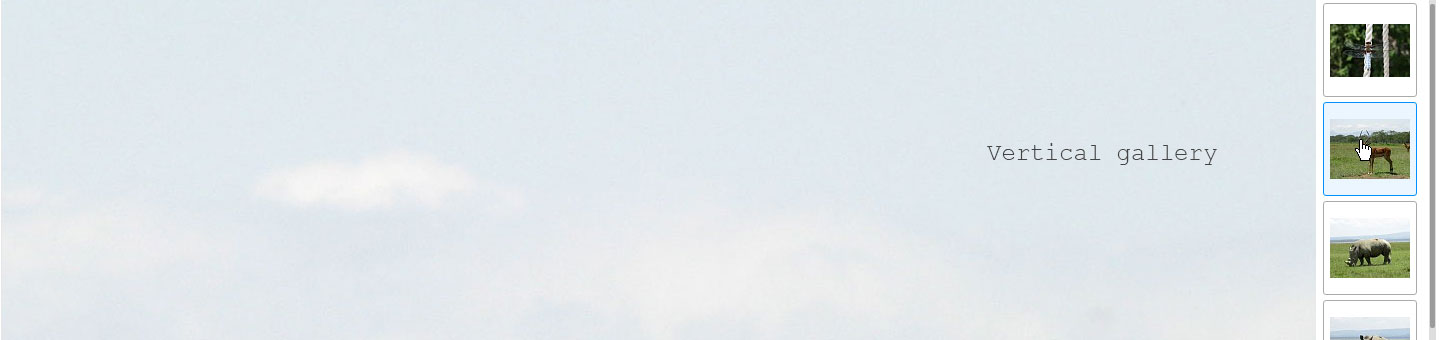
| Option | Type | Description |
|---|---|---|
| useGallery | bool | Enable vertical gallery. |
| galleryPicDim | string | Vertical gallery thumbs size, e.g. '100x100' |
| galleryPos | string | Gallery Position, possible values: 'left', 'right' |
| galleryLines | int | Number of columns in the vertical gallery, limited by users resolution and your layout. |
| galleryScrollToCurrent | bool | Scroll to the loaded image thumb on the beginning. |
| galleryWidth | mixed | Width of the gallery container, integer (px) e.g. 144 or "auto" as string. |
| galleryImgMargin | array | Margin of the li elements. |
| galleryThumbDescr | bool | Show title element within thumbs. |
| galleryHideMaxWidth | int | Below this value (player width) vertical gallery will be hidden in responsive layouts. Set to false to disable. |
| galleryHideMaxHeight | int | Below this value (player height) vertical gallery will be hidden in responsive layouts. Set to false to disable. |
| galleryOpt | array | Settings for the vertical gallery, full documentation can be found at: www.ajax-zoom.com/axZm/extensions/axZmThumbSlider/ |
Inline Gallery
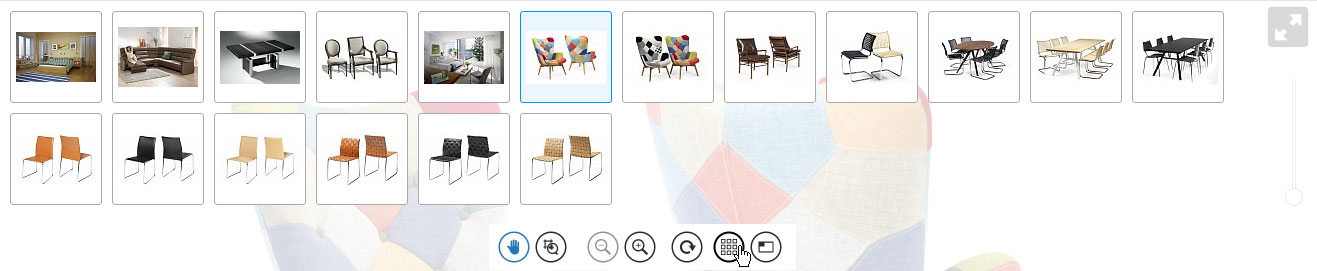
"Inline gallery" is displayed over the image and activated by clicking on a button in the navigation or via the JavaScript API.
| Option | Type | Description |
|---|---|---|
| useFullGallery | bool | Enable inline gallery. |
| galleryFullPicDim | string | Size of the thumbs, e.g. '70x70' |
| galFullImgMargin | array | Margin between the LI elements. |
| galFullButton | bool | If true, the "Inline Gallery" Button is enabled. Sometimes it makes sense to enable inline gallery and disable the button, e.g. as in example 7 |
| galFullScrollCurrent | bool | If set to true it will be scrolled to the current selected image. |
| galFullAutoStart | bool | Autostart and autoshow "Inline Gallery" after initialization of AJAX-ZOOM. |
| galFullTooltip | bool | Enable description tooltip for "Inline Gallery". |
| galFullTooltipOffset | int | Tooltip offset from the thumb in px, e.g. 5 |
| galFullTooltipSpeed | int | Tooltip fadein speed in ms. |
| galFullTooltipTransp | float | Tooltip opacity, e.g. 0.93 |
| galFullThumbDescr | bool | Show description element within thumbs. |
| galFullOpt | array | Settings for the Inline / Full gallery, full documentation can be found at: www.ajax-zoom.com/axZm/extensions/axZmThumbSlider/ |
Gallery Navigation Bar

Prev, Next, Play buttons for the gallery. Is suitable for vertical and horizontal galleries.
| Option | Type | Description |
|---|---|---|
| Option | Type | Description |
| galleryNavi | bool | Enable gallery navigation buttons. |
| galleryNaviPos | string | Gallery navigation position. Possible values: 'top', 'bottom' or 'navi'. Top and bottom refere to position above or under the vertical gallery container. |
| galleryNaviHeight | int | Height of the parent container if positioned not inside navigation bar (galleryNaviPos option is not 'navi') |
| galleryNaviCirc | bool | Circular gallery navigation - carousel (after reaching the last image the first image is next). |
| galleryNaviMargin | array | Gallery navigation container margin in px, array(top, right, bottom, left), e.g. array(2, 25, 5, 0); |
| galleryButtonSpace | int | Space between buttons in px. |
| galleryPlayButton | bool | Enable Play, Pause button. |
| galleryAutoPlay | bool | Enable autoplay (diashow) on start. Will be stopped on zoom. |
| galleryPlayInterval | int | Interval for diashow in ms, e.g. 3500 (3,5 seconds) |
| galleryKeyboardKeys | array | Options subset to switch between images by using keys on the keyboard |
3D (VR Object) / 360 Spin & Zoom
In this section you will find many options especially for the 360 degree / 3D views. Please note that there are also many JavaScript API functions with which the functionality can be adapted.| Option | Type | Description |
|---|---|---|
| spinMod | bool | Enable 360 spin / 3D spin & zoom. Inline Gallery (useFullGallery) must be enabled too. |
| spinBounce | mixed | Enable bounce for 360 views. Spinning will stop at last frame and go backwards to the first. This allows to use AJAX-ZOOM with objects where "back side" is not interesting or it is simply not possible to take images from the back, e.g. when they are mounted at the wall. HD "jpeg movies", time lapse photography are also fields of application with this option. Possible values: "bounce", "stop" and false |
| spinKeys | array | Configuration of the keyboard keys to perform spinning in 360 and 3D; |
| spinMaxRows | int | Maximal number of levels for 3D spin, default: 15 |
| spinMaxFrames | int | The highest number of frames per row, default: 360 |
| dragToSpin | array | Add an image or a div with text telling that the user can "drag and this way spin the 360"; this option is an array with different settings, e.g. you can set to display this message after certain about of seconds and automatically hide it later. |
| spinNoInit | array | If activated, the 360 spin will be preloaded upon a click or you can start preloading with $.fn.axZm.spinPreload() JavaScript API. The user will get a configurable message, which can be defined as configurable png image or a div with text in it. |
| spinSmoothing | array | If if activated, inertia force for 360 will be emulated when the user spins an object with the mouse or finger. |
| spinKeepRotate | array | Keep rotate after inertia force smoothing. There are several adjustments, which can be set in this configuration array. |
| spinSnapKeys | array | Snap to specific 360 keyframes after spinning with inertia force. |
| spinSnapNextKey | bool | Snap to nearest key specified in "spinSnapKeys" options also without velocity spinning. |
| spinAndDrag | bool | Pan view vertically while spinning horizontally. This allows the user to view a different section of the zoomed image in the 360 degree view without switching into pan mode. |
| spinAndDragTouch | bool | Enable "spinAndDrag" option also for touch devices. |
| spinDragOnly | bool | Only drag vertically without spinning, can be also enabled and disabled by changing the JS value of jQuery.axZm.spinDragOnly |
| spinPanRightMouseBtn | bool | If in spin mode, right click with the mouse and drag will pan instead of spin. |
| spinSensitivity | float | Spin sensitivity to mouse movement. Greater number means faster spinning. |
| spinSensitivityZ | float | Spin sensitivity to mouse movement of the Z axis. Greater number means faster spinning. |
| spinReverse | bool | Activate reversed direction of the spin to mouse movement. In fact the direction depends on the order of the images in the sequence. |
| spinContra | bool | Reverse direction of the spin in general. |
| spinReverseZ | bool | Activate reversed direction of the spin to mouse movement of the Z axis (multirow). In fact the direction depends on the order of the images in the sequence. |
| spinReverseBtn | bool, int | Activate reversed direction for all kind of spin control buttons. Normally the spin direction of the buttons is changed automatically when "spinReverse" option is changed. With this option enabled it will be ignored for the control buttons. |
| spinFlip | bool | Spin or mouse movements in bottom-down directions instead of left-right. This would be useful if you shoot e.g. a guitar in a vertical position and then turn the images by 90 degrees. |
| firstAxis | mixed | First Z axis (multirow) to be displayed. Can be overridden by passing $_GET['firstAxis'] in query string. Possible values: auto (middle), number of subdir, name of subdir. |
| spinDemo | bool | Start spin after it first loads. |
| spinDemoTime | int | Time in ms for autospin which is needed to make one turn. |
| spinDemoRounds | int, bool | Number of rounds after which the spin stops automatically. Use false for endless loop. The spinning will also end when the user moves the mouse over the object. |
| spinDemoEasing | string | Easing of the demo spin across the rounds defined in spinDemoRounds option. The default is "linear". |
| spinOnSwitch | bool | Demo spin each time the User switches to routate tool. |
| spinWhilePreload | bool | Spin while preloading. |
| spinMouseOverStop | bool | Stops automatic spinning if mouse over the object. |
| spinEffect | array | Spin effect settings: |
| spinEffect['enabled'] | bool | Enable spin effect. |
| spinEffect['zoomed'] | bool | Enable spin effect while zoomed. |
| spinEffect['opacity'] | float | Opacity of the blur effect. |
| spinEffect['time'] | int | Time in ms of the blur effect. |
| spinPreloaderSettings | array | Preloader settings, CSS: .axZm_spinPreloaderHolder, .axZm_spinPreloaderBar, .axZm_spinPreloadContainer |
| spinPreloaderSettings['width'] | int, string | Width of the preloader container. Could be also a percentage value, e.g. "30%". |
| spinPreloaderSettings['height'] | int | Height of the preloader container. |
| spinPreloaderSettings['borderW'] | int | Border width of the preloader container in px. |
| spinPreloaderSettings['barH'] | int | Height of the preloader progress bar in px. |
| spinPreloaderSettings['barOpacity'] | float | Opacity of the preloader progress bar |
| spinPreloaderSettings['text'] | string | Language var, e.g. 'Loading frames' |
| spinPreloaderSettings['gravity'] | string | Position of the preloader, default: "Center" |
| spinPreloaderSettings['gravityMargin'] | int | Margin of the preloader to the edges of the player. |
| spinPreloaderSettings['margin'] | int | Margin of the preloader content to its edge. |
| spinPreloaderSettings['countMsg'] | bool | Show preloader counting message. |
| spinPreloaderSettings['statusMsg'] | int | Show status message. |
| spinPreloaderSettings['Lx'] | string | Several localization strings. |
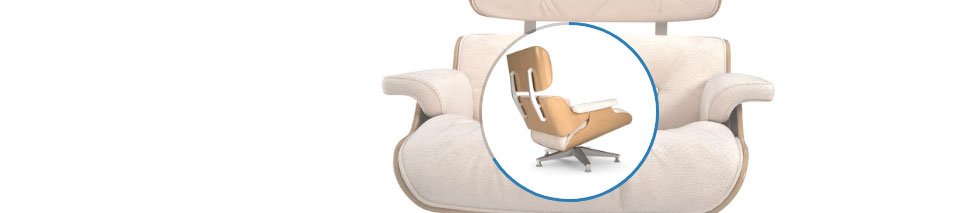
| spinCirclePreloader | array |
Array with settings for the 360 circle spin preloader indicator, IE < 9 defaults to horizontal progress bar.
The settings include the diameter of the preloader, width of the stroke, counter messages, localization and other suboptions.
|
| spinFilesExcludeFilter | array |
Define, which files should be not selected from a folder with 360 images.
If a string from the array contains in the filename of a 360 image, then it will be not included into 360 images set.
Particularly this is useful if you have e.g. low resolution images and high resolution images in the same folder.
AJAX-ZOOM does not need low resolution images and for example if your low resolution images contain "ld" in the filename,
then you can set $zoom['config']['spinFilesExcludeFilter'] = array('ld');.
Please note however, that if you already have such a structure coming from a different 360 script,
then your "high resolution images" might be not of the best quality and resolution available which
will lead to not optimal results within AJAX-ZOOM.
|
| cueFrames | csv, bool | CSV (comma-separated values) of frames numbers, which are loaded into a gallery if it is activated. Clicking on a thumb will result into spinning to this particular frame. |
| spinToMotion | string | Motion type of the spinning to a specific frame, see also cueFrames |
| spinOnClick | bool | If activated and spin tool is selected clicking on the image will result into spinning the object, otherwise it will zoom in. |
| spinAreaDisable | bool | Disable spinning for the zoom area, see this example |
| gallerySlideNavi | bool | Enable turn left / right buttons above the picture of the player. In the 2D mode this option has a different functionality. See also: gallerySlideNaviMouseOver, gallerySlideNaviOnlyFullScreen and gallerySlideNaviMargin |
360 degree spin slider

| ||
| spinSlider | bool | Enable UI slider as additional control for spinning. |
| spinSliderHeight | int | Height or thikeness of the slider in px. |
| spinSliderHandleSize | int | Height or thikeness of the slider handle in px. |
| spinSliderWidth | string | Width of the slider. Percent or pixel; |
| spinSliderParent | string | Ver. 5.0.5+ ID of the parent container for spin slider if not fullscreen, e.g. axZm_spinSliderParent; set false to disable |
| spinSliderPlayButton | bool | Play / pause button left to the spin slider. |
| spinSliderReverse | bool | Reverse direction of the slider. |
| spinSliderClass | string | Css class name for spin slider. |
| spinSliderMouseOver | bool | Hide spin slider, when mouse is not over the player. |
Navigation bar / Toolbar
The oldschool navigation bar can be displayed below, above the player or disabled. The buttons can be switched on and off. There are several presets / skins and you can also create your own skins. The order of the buttons in this navigation bar can not be changed. Another option is the mNavi Toolbar. There you can freely determine the order and positions of each button. Also you can define your own buttons and the click event for them.
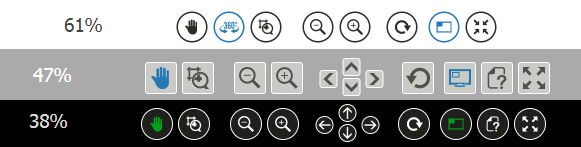
List mit all buttons, also from other topics:
naviPanButSwitch, naviSpinButSwitch, naviCropButSwitch, naviZoomBut, naviPanBut, naviRestoreBut, mapButton, galFullButton, fullScreenNaviButton, help, downloadButton, galleryNavi, galleryPlayButton
| Option | Type | Description |
|---|---|---|
| displayNavi | bool | Eneable (display) regular navigation bar. For disabling / enabling in the fullscreen mode please set fullScreenNaviBar option. |
| naviHideMaxWidth | int, bool | Ver. 5.1.0+ Hide navigation bar when the container width is less than this value. Set to false to disable this feature. |
| naviHideMaxHeight | int, bool | Ver. 5.1.0+ Hide navigation bar when the container height is less than this value. Set to false to disable this feature. |
| firstMod | string | First switched tool on load. Poosible values: "crop", "pan", "spin" |
| keyPressMod | array | Quickly switch between crop, pan or spin using keyboard keys (experimental). |
| forceToPan | bool | Automatically switch to pan when reached 100% zoom level. |
| forceToPanClickDisable | bool | Disable "forceToPan", when the user chooses a different tool in case "forceToPan" is enabled. |
| naviPos | type | Navigation position, possible values: "top" or "bottom". |
| naviFloat | string | Navigation gravity, possible values: 'left' or 'right' |
| naviHeight | int | Height of navigation container in px, e.g. 48 |
| naviSpace | int | Space between buttons of one group in px, e.g. 5 |
| naviGroupSpace | int | Space between groups of buttons in px, e.g. 10 |
| naviMinPadding | int | Minimal padding of navigation container left and right in px, e.g. 5 |
| naviTopMargin | int | Top margin of navigation container in px, e.g. 2 |
| naviBigZoom | bool | Enable big buttons for zoom in and zoom out (the plus and minus buttons) |
| naviDownState | bool | Enable a different icon, when mouse is down at a navigation button (down state). |
| naviOverState | bool | Enable a different icon, when mouse is over a navigation button (over state). |
| naviZoomBut | bool | Display zoom in and zoom out buttons. |
| naviPanBut | bool | Display pan buttons set (the left, top, right and bottom arrows) |
| naviRestoreBut | bool | Display restore button. |
| naviHotspotsBut | bool | Display button for toggling hotspots. |
| naviCropButSwitch | bool | Display crop switch button. |
| naviPanButSwitch | bool | Display pan switch button |
| naviSpinButSwitch | bool | Display 3D spin switch button. |
| zoomLogInfoDisabled | bool | Completely disable zoom level. |
| zoomLogInfo | bool | Along with zoom level the time needed to generate the zoomed picture and the overall image traffic will be shown. CSS: .axZm_zoomLogHolder, .axZm_zoomLog |
| zoomLogJustLevel | bool | Diplay only the zoom level. If true - disable zoomLogInfo above. CSS: .axZm_zoomLogHolder, .axZm_zoomLogJustLevel |
| deaktTransp | float | Opacity for deactivated bottons, [0-1], e.g. 0.5 |
| disabledTransp | float | Opacity for disabled buttons, when image is smaller than stage dimensions, [0-1], e.g. 0.2 |
| Zoom slider | ||
| zoomSlider | bool | Enable vertical or horizontal UI slider for zoom in and out |
| zoomSliderHorizontal | bool | Enable horizontal slider. |
| zoomSliderHeight | int | Height of the vertical slider in px. |
| zoomSliderHandleSize | int | Height or thikeness of the slider handle in px. |
| zoomSliderWidth | int | Width or thikeness of the slider in px. |
| zoomSliderPosition | string | Position of the slider. Possible values: topRight, topLeft, bottomRight, bottomLeft, top, bottom, left, right; |
| zoomSliderMarginV | int | Vertical margin of the slider in px. |
| zoomSliderMarginH | int | Horizontal margin of the slider in px. |
| zoomSliderOpacity | float | Opacity of the slider [0.0 - 1.0], diabled for MSIE. |
| zoomSliderContainerPadding | int | Padding of the parent container, which can be styled with CSS - #zoomSliderZoomContainer |
| zoomSliderMouseOver | bool | Show zoom slider only when mouse is over the player. Disabled for touch devices. |
| zoomSliderClass | string | CSS class name for zoom slider |
| Language vars log | ||
| zoomLogLevel | string | Zoom level text string, e.g. 'Zoom Level:' |
| zoomLogTime | string | Time needed to generate the zoomed picture, e.g. 'Zoom Time:' |
| zoomLogTraffic | string | Traffic, e.g. 'Zoom Traffic:' |
| zoomLogSeconds | string | Seconds, e.g. 'sec.' |
| zoomLogLoading | string | Loading message, e.g. 'Loading...' |
| Help (Info) button | ||
| help | bool | Enable help (Info) button. |
| helpTransp | float | Opacity of Help (Info) container, e.g. 0.95 |
| helpTime | int | Help (Info) container transition time in ms, e.g. 300 |
| helpMargin | int | Margin in px of help container within the stage, e.g. 20 |
| helpTxt | string |
String HTML of what is displayed in help / info container. Write whatever You want in it.
Feel free to generate this var dynamically with: JavaScript (jQuery): jQuery('#zoomedHelp').html('your content goes hier');
PHP: $zoom['config']['helpTxt'] = $yourContentVar;
|
| helpUrl | string | Instead of the option helpTxt load an external url into the help / info container as iframe. |
| Button icons | ||
| buttonSet | string | Subfolder in the icons directory, where the images for the buttons are located, e.g. 'default'. You can create a different button set, place it in some folder and set this option in order to changes take place. |
| themeCss | string | Theme file located in /axZm/themes/, possible values (extendable) - "black", "grey", "white" |
| icons | array | Multidimensional array with icons parameter for each button in the navigation. See the source code in |
| mapButTitle | array | Multidimensional array with icons language vars. |
Mobile Buttons (mNavi)
This navigation is an alternative to the regular navigation bar in version previous to 4.0; It is better suited for mobile devices but can be used for desktops as well.

| Option | Type | Description |
|---|---|---|
| mNavi | array | Multidimansional array with parameters for mobile navibar and buttons. |
| mNavi['enabled'] | mixed | Enable mNavi, possible values: true, false or "auto" - only for touch devices. Disables regular navigation (displayNavi, fullScreenNaviBar). |
| mNavi['gravity'] | string | Positioning gravity, possible values: topLeft, topRight, bottomRight, bottomLeft, bottom, top, right, left |
| mNavi['offsetHorz'] | int | Horizontal offset from the edge of the player. |
| mNavi['offsetVert'] | int | Vertical offset from the edge of the player. |
| mNavi['offsetHorzFS'] | int | Horizontal offset from the edge of the player at fullscreen. |
| mNavi['offsetVertFS'] | int | Vertical offset from the edge of the player at fullscreen. |
| mNavi['parentID'] | string | ID of the container to place mNavi in none fullscreen mode outside of the player. |
| mNavi['setParentWidth'] | bool | Sets width of the parent container same as navi container. |
| mNavi['setParentHeight'] | bool | Sets height of the parent container same as navi container. |
| mNavi['fullScreenShow'] | bool | Append mNavi to the player in fullscreen mode; you can also enable "fullScreenNaviBar" option instead. |
| mNavi['onlyFullScreen'] | bool | Display only at fullscreen mode. |
| mNavi['hover'] | bool |
Enables mouse over state of the button, e.g. if
$zoom['config']['icons']['mHotspots'] = array('file'=>'button_iPad_hotspots', 'ext'=>'png', 'w'=>50, 'h'=>50);
the hover state button is 'button_iPad_hotspots_over.png'
|
| mNavi['down'] | bool |
Enables mouse down state of the button, e.g. if
$zoom['config']['icons']['mHotspots'] = array('file'=>'button_iPad_hotspots', 'ext'=>'png', 'w'=>50, 'h'=>50);
the hover state button is 'button_iPad_hotspots_down.png'
|
| mNavi['dis'] | bool | Disables certain buttons like zoom in and out if they can not be used. |
| mNavi['alignment'] | string | Buttons alignment, possible values: 'horz' and 'vert'; if gravity is set to 'right' or 'left', this option defaults to 'vert' |
| mNavi['mouseOver'] | bool | Hides, when mouse is not over the player on not touch devices. |
| mNavi['firstEllMargin'] | int | Left margin of first button in mNavi.orderDefault / mNavi.order |
| mNavi['ellementRows'] | int | Number rows of elements. If > 1 "alignment" defaults to 'horz'. |
| mNavi['rowMargin'] | int | If ellementRows > 1 - margin between the rows. |
| mNavi['containerFixedWidth'] | int, bool | If this value is an integer, the container width is not calculated automatically but set to this value. |
| mNavi['containerFixedHeight'] | int, bool | If this value is integer, the container height is not calculated automatically but set to this value. |
| mNavi['buttonDescr'] | bool | If set to true, the button description will be applied the same way as by the old / regular navigation bar. |
| mNavi['alt'] | array | Array with settings for the custom tooltip. Tooltip shows the description of the button. |
| mNavi['cssClass'] | string | CSS class for navi container. |
| mNavi['cssClassFS'] | string | CSS class for navi container at fullscreen mode. |
| mNavi['cssClassParentID'] | string | CSS class if parentID (position outside of the player) is defined. |
| mNavi['orderDefault'] | array | Default button set if "order" is not defined. |
| mNavi['order'] | array |
In this option you can position any available button and define its margin to the next, e.g.
'orderDefault' => array('mZoomOut' => 5, 'mZoomIn' => 15, 'mReset' => 15, 'mPan' => 5, 'mSpin' => 5, 'mCrop' => 0)
The buttons are defined in $zoom['config']['icons']['m*'].
|
| mNavi['customPos'] | array |
Place any button defined in mNavi['order'] somewhere else on the page. For example:
		'customPos' => array(
			'mReset' => array('css' => ( array('left' => 5, 'bottom' => 5, 'position' => 'absolute', 'zIndex' => 123) ), 'parentID' => '', 'mouseOver' => true)
		)
The reset button is placed at top left corner of the player as "parentID" is not defined.
"parentID" could be also some other DIV placed outside of the player.
"mouseOver" means that the button is hidden unless the user puts the mouse over the player (disabled for touch devices).
|
| mNavi['mCustomBtn{n}'] | string |
Stringified JavaScript function for the custom button.
Images for "mCustomBtn1" are defined in $zoom['config']['icons']['mCustomBtn1'],
its position in mNavi['order'] and behaviour (click event) in mNavi['mCustomBtn1'];
Example: 'mCustomBtn1' => 'function(){jQuery.fn.axZm.fillArea();}'
You can add as many custom buttons as you like. In order to place a third custom button,
extend $zoom['config']['icons'] with $zoom['config']['icons']['mCustomBtn3'],
place your button into mNavi['order'] (override its position in 'customPos' if needed) and
define 'mCustomBtn3' => 'function(){do stuff here...}'.
The simplest way is to reference a JavaScript function defined elsewhere:
'mCustomBtn3' => 'window.doSomethingFunction'
|
Motion (Animation, Transition)
| Option | Type | Description |
|---|---|---|
| pMove | int | By clicking on a pan button in the navigation bar the image will be paned by this percentage of visible area, e.g. 75 |
| pZoom | int | By clicking on the image with the left mouse button or clicking on the plus button (zoom in) in the navigation bar, the image will be zoomed by this percentage, e.g. 100 (x2) |
| stepZoom | bool | By clicking on the image with the left mouse button or clicking on the plus button (zoom in) in the navigation bar, the image will be zoomed to the next pyramid step, e.g. to 100%, 50%, 25%, 12.5% ... |
| autoZoom | array | Multidimansional array with parameters for autozoom after the image is loaded. |
| autoZoom['enabled'] | bool | Enable autozoom. |
| autoZoom['onlyFirst'] | bool | Apply autozoom only on first loaded image in the gallery. |
| autoZoom['speed'] | int | Motion speed for autoZoom in ms, e.g. 300 |
| autoZoom['motion'] | string | Motion type for autoZoom, e.g. 'swing' |
| autoZoom['pZoom'] | mixed | Can be an integer, e.g. 150 (enlarge x2,5), string: 'fill', 'max' or percentage as a string, e.g. '50%'. 'fill' means to enlarge or expand the image to the extend, that there will be no background of the stage visible if image has different proportions. 'max' means to enlarge image to full size and the persentage like '35%' would zoom exactly to this specific value, whereby '100%' is equal to 'max'. |
| pZoomOut | int | By clicking on the image with the right mouse button (not aktivated by default in opera browser) or clicking on the minus button (zoom out) in the navigation bar, the image will be zoomed out by this percentage, e.g. 100 (/2). |
| zoomSpeedGlobal | int | Default speed for motions in ms, e.g. 500 |
| moveSpeed | int | Motion speed in ms by clicking on arrows in navigation bar , e.g. 750 |
| zoomSpeed | int | Motion speed by clicking on plus in navigation or left clicking the image in ms, e.g. 750 |
| zoomOutSpeed | int | Motion speed by clicking on minus in navigation or right clicking the image, e.g. 750 |
| cropSpeed | int | Motion spped for zoom in by selecting an image area in ms, e.g. 750 |
| restoreSpeed | int | Motion speed by clicking on restore button in ms, e.g. 750; can be overridden by zoomMapSwitchSpeed |
| traverseSpeed | int | Sidewords motion speed in ms when reached 100% zoom and left clicked on image, e.g. 300 |
| zoomFade | int | Fade in time in ms of zoomed image after it has been loaded, e.g. 200 (0 for disabling fade in effect) |
| zoomFadeIn | int | Fade in time of the first image loaded in ms, e.g. 300 |
| buttonAjax | int | Time in ms after which the zoomed image is starting to load when the user clicks on any button in navigation bar. Setting this to 0 will not allow to click twice on a button, e.g. 750 |
| zoomEaseGlobal | string | Default motion type, e.g. 'easeOutCirc' |
| zoomEaseIn | string | Motion for zoom in by clicking the plus button or the image, e.g. 'easeOutCirc' |
| zoomEaseOut | string | Motion zoom out on clicking minus or right click the image, e.g. 'easeOutCirc' |
| zoomEaseCrop | string | Motion for zoom in by selecting an image area, e.g. 'easeOutCirc' |
| zoomEaseMove | string | Sideward motion on clicking the arrow buttons in navigation, e.g. 'easeOutCirc' |
| zoomEaseRestore | string | Motion on clicking the restore button, e.g. 'swing' |
| zoomEaseTraverse | string | Motion when reached 100% zoom and clicking the image, e.g. 'easeOutCirc' |
| gpuAccel | array | Enable GPU rendering (translateZ) for desktop browsers. |
Mousewheel Zoom In and Out
| Option | Type | Description |
|---|---|---|
| scroll | bool |
Enable mousewheel zooming.
Can be switched on runtime with JavaScript: jQuery.axZm.scroll = false; // or true
|
| mouseScrollEnable | bool |
Enabling this option will not prevent scrolling the browser window with the mousewheel.
Can be switched on runtime with javascript: $.axZm.mouseScrollEnable = false; // or true
|
| mouseScrollEnableFS | bool | Separate switch for the above at fullscreen mode. |
| mouseScrollMsg | array | Ver. 5.0.11+ if "mouseScrollEnable" is set to true, show a message that zoom with mouse wheel can be performed by pressing "Alt" or "Ctrl" button on the keybord. CSS: .axZm_ctrlZoomTxt, .axZm_ctrlZoomTxtInner |
| scrollAnm | bool | Enables / disables animation during mousewheel zoom in and out. If disabled the options scrollSpeed, scrollMotion and scrollPause have no effect! |
| scrollZoom | int | Percentage of zoom in / out on each mousewheel scroll. 16 is a good value, if scrollAnm is deactivated and 35 if scrollAnm is activated. |
| scrollAjax | int | Time after the last wheel action or click on the image the ajax call is triggered. 750 is a good value, if scrollAnm is false and 1250 if scrollAnm is true. |
| scrollSpeed | int | If scrollAnm is true the duration of animation effect, e.g. 1500 |
| scrollMotion | string | If scrollAnm is true the animation motion type. 'easeOutQuad' is a good one. |
| scrollPause | int | Disables scroll tick for this time period in ms. Helps to prevent to fast scrolling, e.g. 100 |
| scrollPanR | int |
When reached max zoom level (100) scroll has the same effect as "click - pan".
However the mousewheel is real fast, so the user will get away from the desired crop to fast.
You can reduce the normal click distance by this factor.
1 - means no effect in comparison to "click - pan" false - means no "scroll - pan" at all any number > 1 will "soften" this problem, whereas a bigger number means less pan each scroll |
| scrollOutReversed | bool | Behaivior during zoom out with the mouse wheel. The viewport is disabled. Instead coordinates of the oposit part of the image are passed to the zoom out function. |
| scrollOutCenter | bool | Behaivior during zoom out with the mouse wheel. The vieport is disabled. Instead coordinates of the center of the image are passed to the zoom out function. |
Pan / Drag
| Option | Type | Description |
|---|---|---|
| zoomDragPhysics | float, bool | Enables acceleration of the mouse while dragging resulting in a "throw" effect. Can be float value, max. 1.5 for now. Default: 0.75 |
| zoomDragAnm | bool | Animate images while dragging (smooth motion). Not recommended for old browsers, if image tiles are loaded directly. |
| zoomDragSpeed | int | Time im ms the image needs to fully reach the mouse position on drag if zoomDragAnm is activated, e.g. 1000 |
| zoomDragMotion | string | Type of drag motion, e.g. 'easeOutCirc'. |
| zoomDragAjax | int | Time im ms after the last drag action the ajax request is triggered, e.g. 750 |
Image Area Selector
| Option | Type | Description |
|---|---|---|
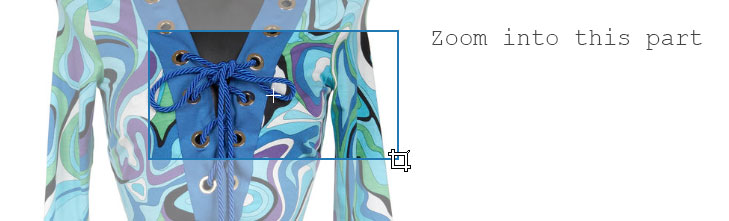
| zoomOuterColor | string | Color outside the selector, false to disable - makes image area selector a bit faster. |
| zoomOuterOpacity | float | Opacity outside the selector, [0-1], e.g. 0.4 |
| zoomBorderColor | string | Selector border color, e.g. '#006600' or 'green', |
| zoomBorderWidth | int | Selector border width in px, e.g. 1 |
| zoomSelectionAnm | bool | Expand effect after the selection of imagearea. |
| zoomSelectionCross | bool | Add cross in the middle of selection area, CSS: .axZm_zoomCropCross; In fact this could be not just a cross, but any other image as a background of the css class. |
| zoomSelectionCrossOp | float | Cross opacity, see zoomSelectionCross, e.g. 0.75 |
| zoomSelectionMod | string | Zoom selector mod, possible values 'min' or 'max'. |
| zoomSelectionProp | string, float or false |
Proportions of the selector. Possible values:
|
Ajax Loader

| Option | Type | Description |
|---|---|---|
| zoomLoaderEnable | bool | Enable ajax loader (animated icon or css3 animation) on top of the image during loading process. |
| zoomLoaderClass | int | CSS class name of the loader with an animated gif as a background, e.g. 'zoomLoader3' or css3 animation class. As background icon animation, it can also be a PNG "Filmstripe". In this case zoomLoaderFrames must be set to the amount of the frames in this Filmstripe. |
| zoomLoaderTransp | type | Loader opacity, [0-1], e.g. 0.9 |
| zoomLoaderFadeIn | int | Fade in speed of the loader in ms, e.g. 500 |
| zoomLoaderFadeOut | int | Fade out speed of the loader in ms, e.g. 500 |
| zoomLoaderPos | string | Position or gravity of the loader, possible values: 'Center', 'TopLeft', 'TopRight', 'BottomLeft' or 'BottomRight' |
| zoomLoaderMargin | int | Margin in px for loader position. Does not apply, if zoomLoaderPos (loader position) value is 'center'. |
| zoomLoaderFrames | int or false | Instead of using a gif animation You can use any png image like a film stripe playing in endless loop. This option defines the number of frames, e.g. 12. All frames have to be equal in size and located under each other in one png image. Set this option to false if zoomLoaderClass contains a CSS class with an animated gif image as the background. |
| zoomLoaderCycle | int | Loop time (cycle time) in ms, 1000 |
Mixed Options
| Option | Type | Description |
|---|---|---|
| cursorWait | bool | Enable system wait cursor on image load. |
| cursor | bool | Cursor icons for different states located in /axZm/icon directory |
| disableAllMsg | bool | Disable all error and notification messages. |
| fullZoomBorder | float | Expends the zoom to max size (100%) if only a bit left to prevent zoom like 99,2%, [>1], e.g. 1.1 would expand to 100% if only 10% difference left. To disable set this option to 1.0 |
| fullZoomOutBorder | float | Expends the zoom to min size (initial image size) if only a small fraction left , [>1], e.g. 1.1 would expand to initial image size (full image visible) if only 10% difference left. To disable set this option to 1.0 |
| zoomTimeOut | int | Timeout for ajax zoom request in ms, e.g. 10000 or false for disabling. |
| errors | bool | Display errors. |
| licenseErrors | bool | Display license errors. Before version 4.0 license errors did not display if errors options was not set. |
| warnings | bool | Display warnings. |
| useSess | bool | Use session cookies for storing some imformation. Not necessary. |
| cache | bool | Use cached image files for user zooming session. If set to true, the script will not generate a zooming image, if it is alredy generated. This is only relevant if image tiles are not loaded directly or simpleMode is activated. It is only for /examples/example1.php |
| cacheTime | type | Cache time in seconds - how long zoomed images should stay in cache folder. The script will automatically delete all cache files if they are older than this value. Should be at least 30 seconds, e.g. 300 |
| picChmod | array | Array with octal values for file permissions (chmod) setting for created images, e.g. 0644 or false. |
| cornerRadius | int | Build in rounded corners in px. For deaktivating set this option to 0. |
| cornerRadiusNotRound | bool | "cornerRadius" option builds a border around the player. If this value is set to true, then the border has no rounded corners. |
| innerMargin | int | Margin around the picture in px. Builds a solid border around it the image. If build in rounded corners (cornerRadius) are used set it to the same value, e.g. 5. If no build in counded corners are required, set this value to build solid border around the zoom picture. For deactivating set this option to 0. |
| zoomStat | bool | Append a div under navigation to display some information, mainly framerate during zoom for testing purposes. Switch it off after testing. |
| zoomStatHeight | int | Height in px of the appended div (zoomStat). |
| allowDynamicThumbs | bool | Allow to generate image thumbs dynamically by passing the values to "/axZm/zoomLoad.php" |
| allowDynamicThumbsMaxSize | int | Max. thumbsnail size (width and height) that can be achieved by resizing an image, when allowDynamicThumbs is enabled. |
| dynamicThumbsMaxCacheTime | int | Sets Cache-Control: maxage header for the dynamically generated images. |
| dynamicThumbsCache | bool | Cache thumbs to disk. |
| dynamicThumbsCacheByGET | bool | Allow change cache settings by GET parameter |
| dynamicThumbsAllowCrop | bool | Allow to pass parameters, which will crop certain areas out of image and make the thumb. |
| dynamicThumbsCropMaxSize | int | Max size for the thumbnails, when cropping parameters are passed |
| dynamicThumbsCropOnlyFromCache | bool | Return croped images only if they are already cached to disk. If this setting is true and cached version of the crop does not exist, then crop values will be ignored. |
| dynamicThumbsQualRange | array | Quality range, which can be passed over query string ($_GET) |
| dynamicThumbsCtime | bool | Compare creation time of source image and thumb. If source image is newer, recreate the cached thumb. |
| dynamicThumbsInterlace | string, bool | Ver. 5.1.0+ Interlace dynamically created thumbnails, possible values "Plane", "Line" or false |
| dynamicThumbsQual | int | Default JPG quality. |
| dynamicThumbsQualPng | array | Default PNG quality. |
| dynamicThumbsStructure | string | Please see subfolderStructure option. |
| dynamicThumbsStructChmod | octal | Chmod for the created folders. |
| dynamicThumbsWtrmrk | array | A bunch of settings to watermark thumbnails, which are created this way. |
| allowAjaxQuery | array | Permission settings for querying images by the applications. |
| tapHideAll | bool | Hide / show all UI elements including zoom map and any other user injected elements by taping at the player. Works also on not touch devices, however zoomDoubleClickTap has to be set to some ms number. |
| tapHideExcl | array | Array with a list of CSS classes or IDs to exclude from hiding, when "tapHideAll" is enabled. |
| zoomDoubleClickTap | int | Double ckick or double tap in order to zoom in (out, when completely zoomed in). The integer value indicates the max double click speed in ms. |
| touchDragPageScroll | mixed | Scoll page on vertical touch motions, when pan mode is activated and the image is not zoomed. Can be float - width of the player compared to window width. |
| touchPageScollDisable | bool | Disable page scroll for touch devices. |
| touchDragPageScrollZoomed | bool | Scroll vertically if image is zoomed and pan mode is activated. |
| touchSpinPageScroll | bool | Scroll page on vertical touch motions, when spin mode is activated. Can be float - width of the player compared to window width. |
| touchPageScrollExcl | string |
Automatically deactivate vertical page scroll if this value is contained in the string of parent ID of AJAX-ZOOM.
You can also deaktivate vertical scroll by setting window.az_touchPageNoScroll to true.
|
| disableMultitouch | bool |
Disable multitouch events (ignore not primary events),
should be set conditionally with JS by changing the value of
jQuery.axZm.disableMultitouch.
|
| autoHideEllDelay | int | Elements like "mNavi" or zoom slider can be configured to hide if mouse is not over the player. This option determins the delay for hiding. |
| touchSettings | array |
By freely setting array elements of this option you can override any other AJAX-ZOOM option which will only be enabled for touch devices.
For example you can disable spinSlider and zoomSlider if you think these UI elements do not make much sense on touch screens.
$zoom['config'] will be extended for touch devices similar to jQuery.extend();
|
| polyfill | bool | Use window.requestAnimationFrame for jQuery animations. Requires jQuery ver. 1.8+ |
| lockAll | bool | Ver. 5.1.0+ blend out all page elements, when AJAX-ZOOM is in fullscreen mode. Do not enable if there are any troubles because of that. |
| zC | bool | In the "unlimited" version check for tiles being in zoomify format. |
| jsonInfo | bool |
Store information about source image and (cache, tiles...) images,
which are generated by AJAX-ZOOM for this image in a json file,
located under $zoom['config']['jsonPath'] / $zoom['config']['jsonDir'] in subdirectories
All files are generated and updated dynamically even if cached images are already present before this option were enabled
The advantage of it is that when source images and AJAX-ZOOM - generated images are stored on network or external hard drives,
the image size and existence of AJAX-ZOOM - generated images are stored in json file and are not needed to be read from filesystem.
|
Watermark
with PNG image, text or both
| Option | Type | Description |
|---|---|---|
| watermark | bool | Enable watermark with an PNG image. |
| wtrmrk | array | Multidimensional array with watermark options and settings: |
| wtrmrk['gravity'] | string | Position or gravity of the watermark image. Possible values: NorthWest, North, NorthEast, West, Center, East, SouthWest, South, SouthEast |
| wtrmrk['file'] | string | PNG 24 Bit image with transparancy, located in icon directory, e.g. 'copyright.png'; The PNG image can now be anyware, just define the absolute path to the image, e.g. '/pic/watermarks/watermark.png'; |
| wtrmrk['watermarkTiles'] | bool | When image tiles are loaded directly (pyrLoadTiles is set to true) enable this option to put watermark directly on all created image tiles. |
| wtrmrk['watermarkTilesFill'] | bool |
Watermark all over the image with $zoom['config']['wtrmrk']['file']
|
| wtrmrk['composeStyle'] | string, bool |
This optional overlay style is for imageMagick only!
Possible values: 'screen', 'overlay', 'multiply', 'darken', 'lighten', 'linear-light', 'color-dodge', 'color-burn', 'hard-light', 'soft-light', 'plus', 'minus', 'subtract', 'difference', 'exclusion'
If You just want opacity, save your png watermark file with transparancy and set composeStyle to false
|
| wtrmrk['fill'] | bool | Watermark all over the image. Consider also making a png image as big as picDim if this settings slows down the performance or the results are not satisfactory. |
| wtrmrk['initPic'] | bool | Place watermark on initial picture. |
| wtrmrk['initPicFill'] | bool |
Watermark all over the preview image with $zoom['config']['wtrmrk']['file']
|
| wtrmrk['initPicStretch'] | bool | Adjust watermark size to target size (picDim) |
| Watermark with text | ||
| text | bool | This is a general switch for puting text on the zoomed image. This setting works only if $zoom['config']['pyrLoadTiles'] is set to false, which is not intended in most cases! If you want to add protection to your hq images use $zoom['config']['watermark'] and $zoom['config']['wtrmrk']['watermarkTiles'] instead. |
| txt | array | Multidimensional array with text watermark options and settings. This options can be repeated allowing more text blocks at different positions, |
| txt['fontFile'] | string | Font ttf file, e.g. 'arial.ttf' |
| txt['fontSize'] | int | Font size pt, e.g. 12 |
| txt['fontColor'] | array | Font color array R (Red), G (Green), B (Blue), e.g. array('R' => 255, 'G' => 255, 'B' => 255); |
| txt['fontTransp'] | int | Text opacity [0-100], e.g. 100 (no opacity) |
| txt['fontGravity'] | string | Array of multiple positions of the same text. Possible values: 'NorthWest', 'North', 'NorthEast', 'West', 'Center', 'East', 'SouthWest', 'South', 'SouthEast' |
| txt['fontMargin'] | int | Font margin from the edges of the image in px. |
| txt['fontAngle'] | int | Font angle deg. |
| txt['fontBox'] | bool | Enable background box. |
| txt['fontBoxColor'] | array | Background color of the box - R (Red), G (Green), B (Blue), e.g array('R' => 0, 'G' => 0, 'B' => 0); |
| txt['fontBoxTransp'] | int | Background box opacity [0-100]. |
| txt['fontBoxPadding'] | int | Background box padding in px. |
| Virtual Watermark | ||
| vWtrmrk | string, bool | Virtual watermark as a layer over the image. Does not provide any real protection to the images! CSS class with a png background image, e.g. 'zoomWtrmrk' or false to disable. |
Image Pyramid with Tiles
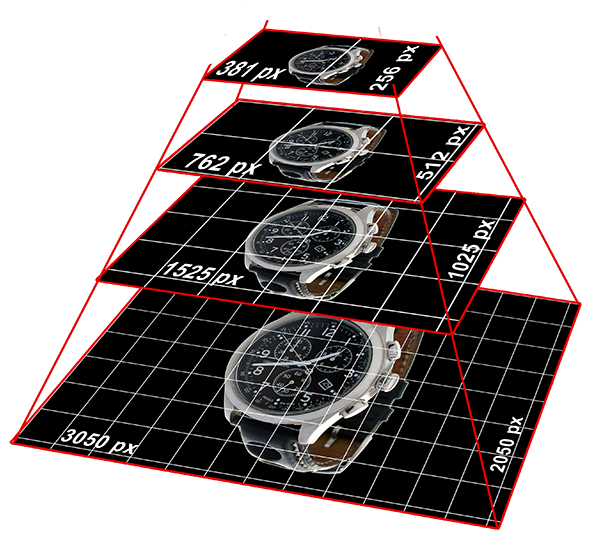
| Option | Type | Description |
|---|---|---|
| pyrTiles | bool | Enable image pyramid with tiles. |
| pyrInterlace | string, bool | 5.1.0+ Interlace tiles, possible values "Plane", "Line" or false |
| pyrDialog | bool | Display info dialog after tiles have been made on the fly. Happens only once for each image. |
| pyrQual | int | JPG quality of the generated tiles. 100 is recommended when image tiles are stitched server-side. In this case the JPG compression level of the final output image is defined by qual. If pyrLoadTiles is aktivated and image tiles are loaded directly, the recomended JPG quality is 80. |
| pyrQualPng | array | Quality for tiles under pngMode. |
| tileSize | int | Size of the tiles in px, [128-768], e.g. 256 or 384 |
| tileOverlap | int | Ver. 5.1.2+ Tiles overlap value. If you change the value after any tiles were already generated previously, then all tiles need to be regenerated. So delete all present tiles after the value has been changed! |
| tileRetryTime | int | Delete make.txt file indicating that tiles are being generated and retry after this seconds value. |
| pyrAutoDetect | bool | This option should only be set to true if there are different tileSizes in the image collection with zoom functionality. Different tilesizes arise out of changing the tileSize option after some image tiles pyramids have already been generated. So in case tileSize values are going to be changed afterwards, consider rebuilding all tiles too and disable this option. |
| pyrTilesPath | string | Folder where image tiles will be saved, e.g. '/pic/zoomtiles/'. Can be a http password protected direcotry (.htaccess, .htpasswd) only if pyrLoadTiles is set to false, which means, that image tiles are stitched server side before sending them as one image to the browser. Otherwise, if pyrLoadTiles is set to true this directory can not be http password protected. In this case image tiles are loaded directly by the client. A subfolder with the name of the picture without .jpg containing the image tiles will be created in this folder. PHP should in any case be able to write to and read from this directory! |
| pyrChmod | int | Chmod for the new created subfolders, where the tiles will be stored separately for each image, e.g. 0755 |
| pyrProg | string | With which imaging library make image tiles, possible values: 'GD' or 'IM'. GD stands for with PHP bundled GD2 and IM for ImageMagick. For stitching tiles see pyrStitchProg option. |
| pyrProgImLimit | array | Only for ImageMagick: limit memory and other settings for making tiles. www.imagemagick.org/script/command-line-options.php#limit |
| pyrImMethod | int |
Ver. 5.1.2+ Possible values: 1 or 2.
Method 1 will cut the image "old way", which works also with older ImageMagick versions and proved to be stable
Method 2 is an optimized way, which will spped up the process by 30-50% depending on image size
If the image is very large and exceeds the resolution stated in $zoom['config']['pyrIMcacheLimit'],
then method 1 will be applied automatically.
When you have troubles with the faster method, apply method number 1.
|
| pyrProgErrorRemove | bool |
In case, when ImageMagick or GD can not allocate sufficient RAM (especially on very large images),
not all tiles for an image might be generated. If pyrProgErrorRemove is set to true the program will
delete the tiles and the created folder for this unsuccessful attempt. If You use GD make sure, that memory_limit ( e.g. ini_set ('memory_limit', '512M') in zoomConfig.inc.php ) or even more is possible! If You have imageMagick installed please notice $zoom['config']['pyrIMcacheLimit'] and $zoom['config']['pyrProgImLimit'] options. |
| pyrIMcacheLimit | float | With ImageMagick ($zoom['config']['pyrProg'] = 'IM';) it is possible to proceed very large images (100 Mio Pixel e.g. 20.000px x 5.000) with relative low RAM. This setting will force to cache the image to disk (and not RAM) if image dimensions (width x height) exceed this settings value in mio. pixel, e.g. imagesize: 5.200 x 3.700 = 19.24 mio. pixel. However this procedure is much slower, so be patient! With 512mb RAM we found a limit from around 50 Mio Pixel (Will override any $zoom['config']['pyrProgImLimit']['memory'] and ['map'] settings) Set $zoom['config']['pyrDialog'] = true for testing purposes. |
| pyrStitchProg | string | With which imaging library stitch tiles, possible values: 'GD' or 'IM'. GD stands for native PHP GD2 and IM for ImageMagick. For making tiles refere to pyrProg option. If pyrLoadTiles is activated there is no need to stitch image tiles on the server. |
| pyrStitchImLimit | array | Only for imagemagick: limit memory and other settings for stitching tiles. www.imagemagick.org/script/command-line-options.php#limit |
| pyrStitchSel | float | Which level to select during zoom. Value equal or bigger than 1.0; 1.2 means that the stitched image has to be at least 20% larger or equal, than outputted cropped size. If not, the next bigger level will be chosen and scaled down to the needed output size. |
| pyrLoadTiles | bool | Load tiles directly without stitching them server side. Increases speed and user experience, reduces operational demands to server hardware. |
| pyrTilesExtend | int | Ver. 5.3.11+ Load some tiles while panning that are not visible in viewport. The value defines the pixel offset that should be covered by tiles outside of the viewport; |
| pyrTilesFadeInSpeed | int | If pyrLoadTiles is activated, the image tiles fadein speed in ms. |
| pyrTilesFadeLoad | int | If pyrLoadTiles is activated, the image tiles fadein speed while dragging (panning) in ms. |
| pyrTilesForce | bool | Byload image tiles even if it is not needed. |
Auto Generated Options
| Option | Type | Description |
|---|---|---|
| iconDir, picDir, thumbDir, tempDir, galleryDir, fontDir, gPyramidDir, pyrTilesDir | string | Root paths composed out of fpPP and other path options. |
| picX, picY, galPicX, galPicY, galFullPicX, galFullPicY, galHorPicX, galHorPicY | int | Various dimensions generated from the above options. |
Fullscreen

pyrLoadTiles must be enabled.
| Option | Type | Description |
|---|---|---|
| fullScreenEnable | bool | Enable fullscreen mode. |
| fullScreenNaviButton | bool | Enable fullscreen button in the navibar. |
| fullScreenCornerButton | bool | Enable fullscreen button at the top right corner. |
| fullScreenCornerButtonPos | string | Position of the fullscreen button image, possible values: topLeft, topRight, bottomLeft, bottomRight |
| fullScreenCornerButtonMarginX | int | Horizontal distance of the fullscreen button to the edge of the player. |
| fullScreenCornerButtonMarginY | int | Vertical distance of the fullscreen button to the edge of the player. |
| fullScreenCornerButtonMouseOver | bool | Enable fullscreen button on mouseover. |
| fullScreenNaviBar | bool | Enable navi bar at fullscreen mode. |
| fullScreenVertGallery | bool | Show vertical gallery in fullscreen mode. Both - vertical and horizontal are not possible any more (does make more problems than sense). You can however enable e.g. horizontal gallery in regular mode and enable vertical in fullscreen mode or disable gallery at one of the mods at all! |
| fullScreenHorzGallery | bool | Show horizontal gallery in fullscreen mode. Both - vertical and horizontal are not possible any more (does make more problems than sense). You can however enable e.g. horizontal gallery in regular mode and enable vertical in fullscreen mode or disable gallery at one of the mods at all! |
| fullScreenExitText | array | Show text about using ESC to exit the fullscreen mode on entering (flash like option). If false, disabled. |
| fullScreenExitTimeout | int | Time in ms after which the ESC message disappears. |
| fullScreenExitOnce | bool | 5.3.11+ Show ESC text message only once. |
| fullScreenRel | string | The size of fullscreen with Javascript is only possible relative to the inner width and height of the current window. The default setting is 'window'. You can however set the ID of any other element on your page instead. |
| fullScreenMapFract | float, bool | Relative size of the Zoom Map in fullscreen mode. Float < 1.0; At false the setting defaults to that of the not fullscreen mode. |
| fullScreenMapWidth | int, bool | Fixed width of the Zoom Map in px. at fullscreen mode. See also mapWidth |
| fullScreenMapHeight | int, bool | Fixed height of the Zoom Map in px. at fullscreen mode. Siehe auch mapHeight |
| fullScreenKeepZoom | array | Try to keep zoom level (visible part of the zoomed image), when changing to fullscreen mode, back or resizing the player / browser window size. |
| fullScreenApi | bool | Enable native fullscreen JavaScript API if supported by the browser. |
| fullScreenSpace | array | Add containers / divs for custom content around the player at fullscreen mode. You can access the divs best over onFullScreenSpaceAdded callback and append your content to these divs with IDs #axZmFsSpaceTop, #axZmFsSpaceRight, #axZmFsSpaceBottom and #axZmFsSpaceLeft |
Download
Download full sized image
| Option | Type | Description |
|---|---|---|
| allowDownload | bool | Allow to download full sized / original image or full image in certain resolution. |
| downloadButton | bool | Enable download button in the navi bar. |
| downloadRes | mixed |
Download resolution of the image. Possible values:
|
| downloadQual | int | Output quality of the jpg image if $zoom['config']['downloadRes'] is not false. |
| downloadQualPng | array | Output quality of the PNG image if $zoom['config']['downloadRes'] is not false. |
| downloadCache | bool | Cache files in $zoom['config']['downloadRes'] resolution once they have been downloaded by a user. |
Defining the images
Introduction, please read
There are three ways of how to tell AJAX-ZOOM which images to load. The first two are very easy to use and do not require programming skills.
- From a page, where AJAX-ZOOM will be displayed, You can pass the list of images defining each image and its location individually. The parameters name is "zoomData".
- Alternatively you can only pass a path to a folder with several images in it. AJAX-ZOOM will pick all the images from the specified folder and load them into the gallery. The parameters name is "zoomDir".
- In case the above methods do not satisfy your needs You can pass any other self defined parameter(s),
e.g.
productID=123as a reference to something, e.g. database entry. The file/axZm/zoomObjects.inc.phpneeds to be adjusted in order to generate the list (array) of images which will be further proceeded internally. As practice shows this is a rather complicated procedure and it is not needed in most cases.
Please note that all paths can be set in reference to the option $zoom['config']['pic']
as "base folder", e.g. if you want to get the image /pictures/sourceImages/123/test.jpg
and all your images are in /pictures/sourceImages/ You can set $zoom['config']['pic'] = '/pictures/sourceImages/';
In order to refere to the image /pictures/sourceImages/123/test.jpg You would then just need this path: /123/test.jpg,
so in case /pictures/sourceImages/ is not a path from some standard software programm no one would get to know where You
hide the source images. Additionally /pictures/sourceImages/ can be a password protected directory without http access.
In following for the sake of completeness defining the parameters "zoomData" or "zoomDir" is completed with one of the simple integration methods using jquery.axZm.loader.js file. This file loads even jQuery core if it is not present on the page. For more ways of integration see next section and the examples.
A very good example to see all these methods is example example27.php
zoomData
zoomData as PHP array turned into string
	$zoomData = array();

	$zoomData[1]['p'] = '/pic/zoom/animals/'; // Absolute paths
	$zoomData[1]['f'] = 'test_animals1.png'; // Image Name

	$zoomData[2]['p'] = '/pic/zoom/animals/';
	$zoomData[2]['f'] = 'test_animals2.png';

	$zoomData[3]['p'] = '/pic/zoom/boutique/';
	$zoomData[3]['f'] = 'test_boutique1.png';

	$zoomData[4]['p'] = '/pic/zoom/boutique/';
	$zoomData[4]['f'] = 'test_boutique2.png';

	// Turn above array into string, it will be decoded in AJAX-ZOOM and turned into a PHP array again
	$_GET['zoomData'] = strtr(base64_encode(addslashes(gzcompress(serialize($zoomData),9))), '+/=', '-_,');
or, if $zoom['config']['pic'] = '/pic/zoom/';
	$zoomData = array();

	$zoomData[1]['p'] = 'animals'; // Absolute paths
	$zoomData[1]['f'] = 'test_animals1.png'; // Image Name

	$zoomData[2]['p'] = 'animals';
	$zoomData[2]['f'] = 'test_animals2.png';

	$zoomData[3]['p'] = 'boutique';
	$zoomData[3]['f'] = 'test_boutique1.png';

	$zoomData[4]['p'] = 'boutique';
	$zoomData[4]['f'] = 'test_boutique2.png';

	$_GET['zoomData'] = strtr(base64_encode(addslashes(gzcompress(serialize($zoomData),9))), '+/=', '-_,');
Example integration - HTML / Javascript:
<div id="test">This text will be replaced after AJAX-ZOOM is loaded</div>
	<script type="text/javascript">
	// Create new object
	var ajaxZoom = {};

	// Path to the axZm folder, relative or absolute
	ajaxZoom.path = "../axZm/";

	/*
	Custom parameters including zoomData and example (overrides some default options in /axZm/zoomConfigCustom.inc.php)

	If you need to change something the method interpreting the zoomData string is called "uncompress" and it can be found in '/axZm/axZmH.class.php';
	So in fact the compressing and obfuscating / encrypting procedure (see above strtr(base64_encode...) can be changed as you like,
	as long as "uncompress" method interprets this string back into php array.
	*/
	ajaxZoom.parameter = "zoomData=<?php echo $_GET['zoomData'];?>&example=13";

	// The id of the element where ajax-zoom has to be loaded into
	ajaxZoom.divID = "test";
	</script>

	<script type="text/javascript" src="../axZm/jquery.axZm.loader.js"></script>
zoomData as CSV string (Character "|" Separated Value)
Example integration - HTML / Javascript:
<div id="test">This text will be replaced after AJAX-ZOOM is loaded</div>
	<script type="text/javascript">
	// Create new object
	var ajaxZoom = {};

	// Path to the axZm folder, relative or absolute
	ajaxZoom.path = "../axZm/";

	/* Custom parameters including zoomData and example (overrides some default options in /axZm/zoomConfigCustom.inc.php)
	For pure html pages or none PHP dynamic pages like .NET you could just wirte the following / respectively have the folloing as output:
	ajaxZoom.parameter = "zoomData=/pic/zoom/animals/test_animals1.png |/pic/zoom/boutique/test_boutique1.png&example=13";

	// The id of the element where ajax-zoom has to be loaded into
	ajaxZoom.divID = "test";

	</script>

	<script type="text/javascript" src="../axZm/jquery.axZm.loader.js"></script>
zoomDir
Select all images in a folder
Example integration - HTML / Javascript:
<div id="test">This text will be replaced after AJAX-ZOOM is loaded</div>
	<script type="text/javascript">
	// Create new object
	var ajaxZoom = {};

	// Path to the axZm folder, relative or absolute
	ajaxZoom.path = "../axZm/";

	// Custom parameters including zoomDir and example (overrides some default options in /axZm/zoomConfigCustom.inc.php)
	ajaxZoom.parameter = "zoomDir=/pic/zoom/animals&example=13";

	// The id of the element where ajax-zoom has to be loaded into
	ajaxZoom.divID = "test";
	</script>

	<script type="text/javascript" src="../axZm/jquery.axZm.loader.js"></script>
Integration into HTML/PHP
Please see the examples. The easiest way is the integration via IFRAME. For an IFRAME example, please have a look at example13.php .
Batch process
zoomBatch.php is the file where you can pre-process a large amount of images with couple clicks and get visual feedback.
Since the processing of the images can be also made on-the-fly during the use of AJAX-ZOOM this "step" is not required. However some operations like tiling the images can take a considerable amount of time and if you plan to to make public a larger amount of images at once, we would recommend to pre-proceed them with zoomBatch.php
From Ver. 4.2.1+ you can process folders and their subfolders instantly with one click.
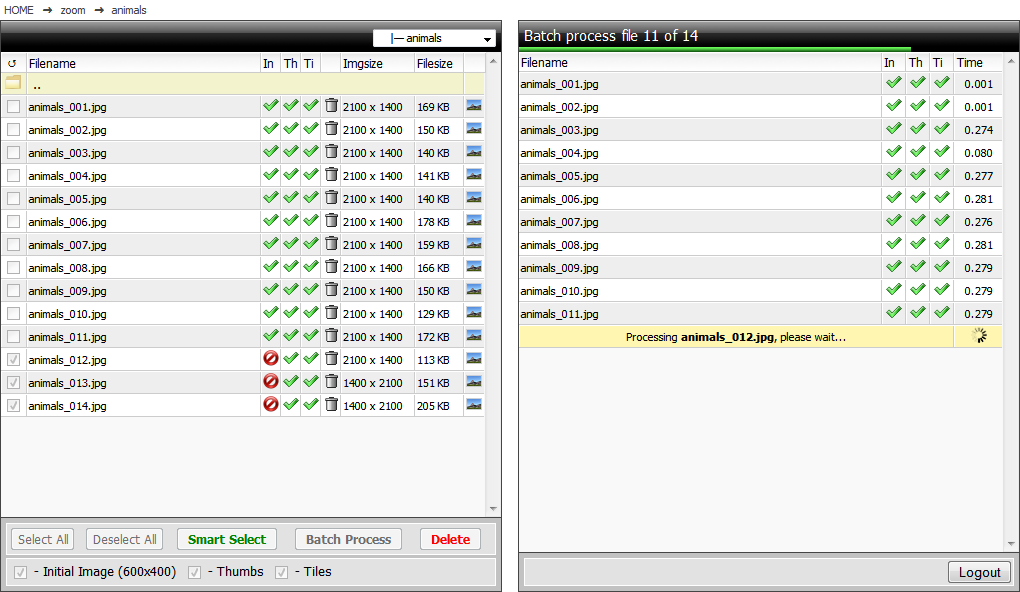
API
JavaScript Vars
There are many other useful variables. If you are developing a sophisticated application and require something - please ask.
| Var | Description |
|---|---|
| jQuery.axZm.ow | Width of the original image. |
| jQuery.axZm.oh | Height of the original image. |
| jQuery.axZm.iw | Width of the initial image. |
| jQuery.axZm.ih | Height of the initial image. |
| jQuery.axZm.lastZoom | Object containing the coordinates (x1, y1, x2, y1) of the zoomed area in the source high-resolution image. See this example. |
| jQuery.axZm.zoomID | The current ID (key) of jQuery.axZm.zoomGA, see below. |
| jQuery.axZm.orgPath | Path to the original image if $zoom['config']['cropNoObj'] in zoomConfig.inc.php is set to true. Otherwise this value is undefined and there are no other JavaScript vars pointing to the location of the original image. Please note that the player does not need to access original images over http, so you can protect the directories e.g. with htaccess. |
| jQuery.axZm.zoomGA | JS object containing all information about gallery images. |
| jQuery.axZm.userFunc | Callback functions (see below) are stored in this var and can be also changed after initialization. |
JavaScript Callbacks / Hooks
AJAX-ZOOM has many callbacks which can be used to develop custom applications.
Callbacks are passed as options with the initialization method 'jQuery.fn.axZm(options)'. All other options are defined in zoomConfig.inc.php. After the initialization of AJAX-ZOOM the callback functions are stored in the object 'jQuery.axZm.userFunc', e.g. 'jQuery.axZm.userFunc.onZoomInClickStart', so they can be accessed, defined and modified after initialization. Here is an example which prints the output of custom callback functions to a html console.
Many callbacks receive an argument with some very useful data! If you would like to inspect and test all callbacks quickly on your application, please see the example code for jQuery.fn.axZm.getAllCallBackNames.
If you are working with AJAX-ZOOM JavaScript API functions, some of which are also used in the examples, then check if the arguments of the API functions are also created as callbacks for an action.
| Callback | Description |
|---|---|
| onBeforeStart | Triggers just after jQuery.fn.axZm starts initializing. |
| onStart | Triggers while initialization after passing some tests. |
| onImageLoad | Triggers after any new image (for 360 the first image) is loaded. onImageLoad is triggerend before onLoad. |
| onLoad | Triggers after first image is loaded. |
| onZoom | Triggers alsways on any zoom in or out. |
| onZoomStart | Triggers only at the beginning of any zoom in or out. |
| onZoomTo | Triggers only when using API jQuery.fn.axZm.zoomTo() |
| onSpinChange | Triggers when frames of a 360/3D spin changes. |
| onSpinStart | Triggers when the user starts spinning with the mouse or finger |
| onSpinMove | Triggers when the user spins with the mouse or finger |
| onSpinEnd | Triggers when the user ends spinning with the mouse or finger |
| onSpinEndRotate | Triggers when because of mouse acceleration or swipe farther rotation is triggered. When this callback returns true, then the default internal action does not take place. So you can override and do something different. The first parameter return object with useful information. |
| onSpinAnmStart | Triggers when spinSmoothing is activated and instant rotation starts or jQuery.fn.axZm.spinRotate API is used. |
| onSpinAnmEnd | Triggers when spinSmoothing is activated and instant rotation ends or jQuery.fn.axZm.spinRotate API is used. |
| onStartPlay | Triggers when autoPlay starts. |
| onStopPlay | Triggers when autoPlay stops. |
| onDragStart | Triggers when user starts dragging. |
| onDragDrag | Triggers when user drags zoomed image. |
| onDragEnd | Triggers when user stops dragging. |
| onDragEndAcc | If zoomDragPhysics is activated this callback will be triggered after the animation is done. |
| onMapDragStart | Triggers when user starts dragging the zoomMap. |
| onMapDragDrag | Triggers when user drags zoomed image over zoomMap. |
| onMapDragEnd | Triggers when user stops dragging image over zoomMap. |
| onZoomInClickStart | Triggers after the user clicks on the image to zoom in. If your function returns false the zooming action does not take place! Useful if you want to inspect the coordinates of the click and e.g. open a popup for this position... |
| onZoomInClickEnd | Triggers after the user clicks on the image to zoom in and the zoom animation is completed. |
| onZoomOutClickStart | Triggers after the user clicks on the image to zoom out (right click or SHIFT + left click). |
| onZoomOutClickEnd | Triggers after the user clicks on the image to zoom out and the zoom animation is completed. |
| onSelection | Triggers during the selection of the image area. |
| onSelectionEnd | Triggers after the image area is selected (mouseup). |
| onImageChange | Triggers on changing the image from gallery. |
| onImageChangeEnd | Triggers when changing the image from gallery is done. |
| onCropEnd | Triggers after the zoomed image portion is croped and loaded / image tiles are loaded. |
| onRestoreStart | Triggers at the beginning when the user hits restore button or restoring is triggered by the API. The speed till the image zooms back to it's initial stage is controlled by zoomMapSwitchSpeed and restoreSpeed. |
| onRestoreEnd | Triggers when the image zooms back to initial stage (full image visible). The speed till the image zooms back to it's initial stage is controlled by zoomMapSwitchSpeed and restoreSpeed. |
| onFullScreenStart | Triggers when initializing the fullscreen. |
| onFullScreenStartFromRel | Triggers when starting initializing the fullscreen from relative sized AJAX-ZOOM. |
| onFullScreenStartEndFromRel | Triggers when initializing the fullscreen from relative sized AJAX-ZOOM is done. |
| onFullScreenReady | Triggers after fullscreen view is ready. |
| onFullScreenResizeEnd | Triggers after window resize at fullscreen mode. |
| onFullScreenClose | Triggers at the beginning of restore process from fullscreen to notmal mode. |
| onFullScreenCloseFromRel | Triggers at the beginning of restore process from fullscreen to relative sized mode. |
| onFullScreenCloseEndFromRel | Triggers at the end of restore process from fullscreen to relative sized mode. |
| onFullScreenCloseEnd | Triggers at the end of restore process from fullscreen to normal mode. |
| onFullScreenSpaceAdded | Triggers when extra space in fullscreen mode is created. See also fullScreenSpace |
| onFullScreenSpaceAddedFirst | Triggers when extra space in fullscreen mode is created for the first time. |
| onFullScreenSpaceRemove | Triggers before extra space in fullscreen mode is removed. |
| onFullGalShow | Triggers when inline gallery is shows. |
| onFullGalShow | Triggers when inline gallery is hidden. |
| onStartSpin | Triggers when 360 spinning starts by some option or API like jQuery.fn.axZm.spinTo. |
| onStopSpin | Triggers when 360 spinning stops after beeing triggered by some option or API like jQuery.fn.axZm.spinTo. |
| onSliderZoom | Triggers while zooming with the slider. |
| onZoomOutButtonStart | Triggers when hitting the button for zoom out or using API method for this. |
| onZoomOutButtonEnd | Triggers when hitting the button for zoom out or using API method for this. |
| onZoomInButtonStart | Triggers when hitting the button for zoom in or using API method for this. |
| onZoomInButtonEnd | Triggers when hitting the button for zoom in or using API method for this. |
| onMouseWheelZoomIn | Triggers on zooming with the mouse(wheel). |
| onMouseWheelZoomOut | Triggers on zooming with the mouse(wheel). |
| onButtonClickMove_N | Triggers when panning (Top) with the buttons or using API method for this. |
| onButtonClickMove_E | Triggers when panning (Right) with the buttons or using API method for this. |
| onButtonClickMove_S | Triggers when panning (Bottom) with the buttons or using API method for this. |
| onButtonClickMove_W | Triggers when panning (Left) with the buttons or using API method for this. |
| onSpinPreload | Triggers after each image of the spin is preloaded. |
| onSpinPreloadEnd | Triggers when all initial images for 360 or 3D are preloaded. This callback is not triggered, when using the jQuery.fn.axZm.loadAjax360Type API. Instead, please use the arguments of this API function to trigger callbacks you need. |
| onMapMouseOverClick | Triggers on click when zoom map selector is dragged by mouseover. |
| onMapMouseOverDbClick | Triggers on double click when zoom map selector is dragged by mouseover . |
| onVertGalLoaded | Triggers when vertical gallery is loaded. |
| onHorGalLoaded | Triggers when horizontal gallery is loaded. |
| onFullGalLoaded | Triggers when full gallery is loaded. |
| onHotspotsDragStart | Triggers after a hotspot starts dragging. |
| onHotspotsDragDrag | Triggers while a hotspot is dragging. |
| onHotspotsDragEnd | Triggers after a hotspot has been dragged. |
| onHotspotDelete | Triggers after a hotspot is deleted. |
| onHotspotToggle | Triggers when a hotspot changes its visibility state. |
| onImageProcessStart | Triggers when image tiles || initial image || map image are starting to be generated on the fly. |
| onImageProcessEnd | Triggers when image tiles || initial image || map image are done with generation on the fly. |
| onBeforePrevNext | Triggers when any action for loading "next" or "prev" image from gallery is executed. This callback receives an array as argument defining if it is "next" or "prev" action, also the next gallery ID (from jQuery.axZm.zoomGA) which is going to be loaded without your intervention. If your custom function will return a different valid gallery ID or image name, then this image will be loaded! |
| onSwipe | Triggers after swiping with the finger and sliding to next image. First argument is the direction, e.g. 'right' or 'left'; of the function returns false sliding to next image does not occure. Implemented e.g. in this example |
| onSwipeEnd | Triggers when swiping with the finger and sliding to next image successfully ended. |
| onSwipeEnd | Triggers when swiping with the finger and sliding to next image is aborted. |
JavaScript Methods
Several API methods are provided to make it easier to extend AJAX-ZOOM and to integrate it with other web application
| jQuery.fn.axZm (options) |
|
The main initialization function. All other options are set in zoomConfig.inc.php file! Some can be set over the callbacks too. Parameter:
Example: See this example. |
| jQuery.fn.removeAZ() |
|
Kill AJAX-ZOOM instance and remove HTML from dom. Useful if you want to initiate a new one at place of the current. |
| jQuery.fn.axZm.addCallback(name, obj) |
|
Add callback function Parameter:
Example: See example14.php |
| jQuery.fn.axZm.areaResize (event, area) |
|
Sets a visible image area selection Parameter:
Example: |
| jQuery.fn.axZm.areaDisable (effect) |
|
Removes a visible image area selection Parameter:
Example: |
| jQuery.fn.axZm.areaRestart () |
|
Restarts image area for tool selection |
| jQuery.fn.axZm.changeTheme (theme) |
|
Change theme css file, see also themeCss |
| jQuery.fn.axZm.citeAllInitialPic (opt) |
|
Preload all initial images (and in case enabled imageMap images) for 2d gallery || 360 || 3D, which has not been already loaded but might be loaded by users action or otherwise.. in the current state this function will not trigger the generation of preview images or tiles (except for the first image of returned set). This behavior will be added later. Parameter:
Example: |
| jQuery.fn.axZm.closeFullScreen () |
|
Close fullscreen mode |
| jQuery.fn.axZm.fullScreenRelChange (id, clb) |
|
Change the position of responsive opened AJAX-ZOOM e.g. into a lighbox. Parameter:
|
| jQuery.fn.axZm.fullScreenRelRestore (clb) |
|
Restore the position previously changed with jQuery.fn.axZm.fullScreenRelChange Parameter:
|
| jQuery.fn.axZm.downloadImg (id, res) |
|
Download original image or image as JPG in certain resolution. See also these config options. Parameter:
Example: |
| jQuery.fn.axZm.fillArea (opt) |
|
Zoom to fill the entire player area independent of proportions of the image or screen resolution. Could be triggered on some AJAX-ZOOM callback. Parameter:
Example: |
| jQuery.fn.axZm.fullGalHide () |
|
Hide "Inline Gallery" |
| jQuery.fn.axZm.fullGalShow () |
|
Show "Inline Gallery" |
| jQuery.fn.axZm.fullGalToggle () |
|
Toggle "Inline Gallery" |
| jQuery.fn.axZm.getAllCallBackNames () |
|
Returns an array with all possible callbacks. Example: |
| jQuery.fn.axZm.getBackColor (set, id, callback) |
|
Experimental: retrieve background color of the image Parameter:
Example: |
| jQuery.fn.axZm.getCropValues (val) |
|
Translates coordinates from the canvas to values in respect to original image size
The firs argument can be an array with the four coordinates on the canvas [x1, y1, x2, y2] or
object with the same keys. Returns a multidimensional array: |
| jQuery.fn.axZm.getCurrentZoom () |
|
Returns x1, y1, x2, y2 coordinates of current zoom crop |
| jQuery.fn.axZm.getCurrentZoomLevel () |
|
Returns current zoom level, 100 is when image is zoomed to the max |
| jQuery.fn.axZm.getLastZoomInfo () |
|
Returns js object with coordinates of last zooms |
| jQuery.fn.axZm.getLiveZoom () |
|
Returns js object with coordinates of zoom |
| jQuery.fn.axZm.getImagePath (id, key) |
|
Returns image path of a thumb defined by key. Parameter:
|
| jQuery.fn.axZm.getImgPath () |
|
Returns folder and image name of the source image; (the folder does not need to be accessible by JS (over http) and the access can be restricted) |
| jQuery.fn.axZm.helpToggle (content) |
|
Toggle help layer. Parameter:
|
| jQuery.fn.axZm.helpShow (content) |
|
Show help layer. Parameter:
|
| jQuery.fn.axZm.helpHide () |
|
Close help layer. |
| jQuery.fn.axZm.initFullScreen () |
|
Start fullscreen mode |
| jQuery.fn.axZm.installPath () |
|
Tries to return the path of /axZm directory. |
| jQuery.fn.axZm.killInternalGalleries () |
|
Stop running all internal galleries, see also axZmThumbSlider. |
| jQuery.fn.axZm.mNaviRebuild () |
|
Rebuild "mNavi"; you can change $.axZm.mNavi object before doing this. |
| jQuery.fn.axZm.openFullScreen (path, parameter, callbacks, relCont, apiFullscreen, disableEsc, postMode) |
|
Open AJAX-ZOOM directly at fullscreen mode or fluid / responsive layout. Please note that jQuery core, /axZm/jquery.axZm.js and /axZm/axZm.css need to be in header or above script tag, which executes jQuery.fn.axZm.openFullScreen(); if not above, then please trigger jQuery.fn.axZm.openFullScreen() within $(document).ready() or similar. Parameter:
Example: Related: If you want to initialize AJAX-ZOOM in non responsive layout you can use jQuery.fn.axZm.load |
| jQuery.fn.axZm.openResponsive (path, parameter, callbacks, relCont, apiFullscreen, disableEsc, postMode) |
|
alias jQuery.fn.axZm.openFullScreen |
| jQuery.fn.axZm.loadAjaxSet (query_string, callback, callbackEnd) |
|
Loads a different set of images into AJAX-ZOOM instance Parameter:
Example: For implemention also see example8.php Related: jQuery.fn.axZm.zoomSwitch |
| jQuery.fn.axZm.loadAjax360Type (query_string, clbLoad360Data, clbLoad360Imge, clbAfter360Preload) |
|
Injects new 360 of the same size keeping same zoom level and frame number. Perfect for 360 product configurators. Parameter:
Example: For implemention also see example36.php Related: jQuery.fn.axZm.loadAjaxSet |
| jQuery.fn.axZm.load (options) |
|
Loads AJAX-ZOOM into a selectable container. Please note that jQuery core, /axZm/jquery.axZm.js and /axZm/axZm.css need to be in header or above script g which executes jQuery.fn.axZm.load(); if not above, then please trigger jQuery.fn.axZm.load() within $(document).ready() or similar. Parameter:
Example: Related: If you want to initialize AJAX-ZOOM in a responsive layout please use jQuery.fn.axZm.openFullScreen |
| jQuery.fn.axZm.moveDir (dir) |
|
Move in certain direction Parameter:
Example: |
| jQuery.fn.axZm.panTo (opt) |
|
Pan to x, y coordinates Parameter:
Example: |
| jQuery.fn.axZm.preloadAllInitialPic () |
|
Preload all initial images of the gallery currently loaded. Normally initial image loads when it is selected from the gallery, by API function jQuery.fn.axZm.zoomSwitch (zoomID) or when diashow is running. For 360 / 3D all initial images are preloaded at the beginning. If you want to preload initial images for the gallery || 360 || 3D which is not loaded but might be loader by users action, you can do so with jQuery.fn.axZm.citeAllInitialPic() |
| jQuery.fn.axZm.preloadAllGalleryThumbs () |
|
Preload all gallery thumbs. Normally thumbs are preloaded when gallery is shown first time. |
| jQuery.fn.axZm.removeDragToSpinMsg (fadeout) |
|
Reload thumbs in horizontal gallery Parameter:
|
| jQuery.fn.axZm.resizeStart (endTime) |
|
Prepare AJAX-ZOOM in responsive layouts to change its size and redraw. Triggering this function twice before endTime is reached will result into clearing the previous resizeStart and endTime, which can be useful to be done e.g. in the callback of an animation.
Parameter:
Example: |
| jQuery.fn.axZm.resetMap (w1, h1, w2, h2) |
|
Resize and reset map. Parameter:
Example: |
| jQuery.fn.axZm.remove () |
|
Completely removes AJAX-ZOOM Example: |
| jQuery.fn.axZm.setDescr (fileName, extensiveDescr, thumbDescr) |
|
Set or remove the description of the thumbs in the gallery and the mouseover description Parameter:
Example: |
| jQuery.fn.axZm.spinBy (x, z, callback) |
|
Spin to any direction by a number of frames. Parameter:
Example: |
| jQuery.fn.axZm.spinBySmooth (x, z, duration, easing, callback, zoomTo) |
|
Spin to any direction by a number of frames. Parameter:
Example: |
| jQuery.fn.axZm.spinStart (rounds, roundTime, mouseOverStop, opposite, callback) |
|
Start spinning 360 object.
Parameter:
Example: |
| jQuery.fn.axZm.spinStop () |
|
Stop spinning 360 object. Example: |
| jQuery.fn.axZm.spinPlayToggle () |
|
Toggles spin / pause. Example: |
| jQuery.fn.axZm.spinTo (frameNumber, speed, easing, callback, zoomTo) |
|
Spin 360 / 3D degree object to a particular frame number. Parameter:
Example with callback: Example with spin and zoom simultaneously: |
| jQuery.fn.axZm.spinRotate (opt) |
|
An easy method to spin in a different ways certain rounds applying adjustable easing Parameter:
Example: |
| jQuery.fn.axZm.spinInit () |
|
Starts preloading 360 degree images, useful if firstMod is not set to 'spin' where spinInit triggers instantly. Can be triggered with the onLoad callback. |
| jQuery.fn.axZm.startPlay () |
|
Start slideshow |
| jQuery.fn.axZm.switchCrop () |
|
Select the zooming tool crop, left click triggers zoom in, right click zoom out, mousewheel zoom in / out Example: |
| jQuery.fn.axZm.switchPan () |
|
Select the zooming tool pan, left click triggers zoom in, right click zoom out, mousewheel zoom in / out Example: |
| jQuery.fn.axZm.switchSpin () |
|
Select the spin mode, click triggers spinning some rounds, mousewheel zoom in / out Example: |
| jQuery.fn.axZm.getCurrentMod () |
|
Returns current state Example: |
| jQuery.fn.axZm.tapHide (excludeArray) |
|
Hide everything what has been added to the layer with the ID "zoomLayer" like navigation elements, zoomMap or an user defined objects. Returns an array with IDs of the elements which has been hidden. Parameter:
Example: |
| jQuery.fn.axZm.tapShow () |
|
Show overlay elements which have been hidden by jQuery.fn.axZm.tapHid Example: |
| jQuery.fn.axZm.tapToggle (excludeArray) |
|
Toggle overlay elements, see jQuery.fn.axZm.tapHide and jQuery.fn.axZm.tapShow; Parameter:
Example: |
| jQuery.fn.axZm.zoomAlert (text, title, subtitle, autoRemove) |
|
Modal dialog method which is used by AJAX-ZOOM to display errors or other notifications. It uses the jQuery facebox plugin. Defaults to simple alert if facebox is not loaded. Overwrite this method if You do not like facebox. Parameter:
Example: |
| jQuery.fn.axZm.zoomIn (options) |
|
Triggers zoom in Parameter:
Example: |
| jQuery.fn.axZm.zoomOut (options) |
|
Triggers zoom out Parameter:
Example: |
| jQuery.fn.axZm.zoomReset(options, callback) |
|
Reset the view to initial state Parameter:
Example: |
| jQuery.fn.axZm.zoomPrevNext (dir, galleryFadeInAnm, once, callback) |
|
Switch to next or previous image in the gallery Parameter:
Example: For implemention see also this example |
| jQuery.fn.axZm.zoomSwitch (zoomID, galleryFadeInAnm, once, callback, callback1) |
|
Switch to a specified image contained in the gallery. If the image is zoomed it will be restored with this duration: zoomMapSwitchSpeed Parameter:
Example: For implemention see alsothis example |
| jQuery.fn.axZm.zoomSwitchQuick (zoomID, callback) |
|
Switch to a different image in the 2D gallery at zoomed state without resetting to initial view, provided that both images have exactly the same sizes (width and height) Parameter:
Example: |
| jQuery.fn.axZm.zoomTo (options) |
|
Zoom to a predefined image area or coordinates, zoomLevel etc. Parameter:
Example: For implemention see example10.php extensive example. Related vars:
An example of how to get this coordinates into a form to store them in a database or wherever: |
JavaScript hotspots methods
Some methods to handle hotspots on 2D, 360 and 3D
| jQuery.fn.axZm.createNewHotspot (param) |
|
Create new hotspot on the fly. Parameter:
Example: Notes: If you want to create new hotspots by clicking directly on the image, then put this function along with your logic into onZoomInClickStart callback. Important is that onZoomInClickStart callback needs to return false at the end, otherwise zooming will take place and this is not what you want. |
| jQuery.fn.axZm.convertHotspotPositionToPx (pos) |
|
Convert hotspot positions object from % to px values related to the source image dimensions
Parameter:
Example: |
| jQuery.fn.axZm.deleteHotspot (name) |
|
Delete / remove hotspot Parameter:
Example: |
| jQuery.fn.axZm.hideHotspots (name, callback) |
|
Hide one or more loaded hotspots Parameter:
Example: |
| jQuery.fn.axZm.showHotspots (name, callback) |
|
Show one or more loaded hotspots after the have been hidden via Parameter:
Example: |
| jQuery.fn.axZm.hideAllHotspots (callback) |
|
Hide all hotspots Parameter:
Example: |
| jQuery.fn.axZm.showAllHotspots (callback) |
|
Show all hotspots that were previously hidden by Parameter:
Example: |
| jQuery.fn.axZm.initHotspots (hSpot, callback) |
|
Init / rebuild hotspots Parameter:
Example: |
| jQuery.fn.axZm.getHotspotDefaults () |
|
Returns all hotstpot configuration options as js object Example: |
| jQuery.fn.axZm.removeAllToolTips () |
|
"manually" remove all tooltips from the hotspots Example: |
| jQuery.fn.axZm.setHotspotDefaults (obj) |
|
Set hotspot default before initializing hotspots. Might be useful if you have many hotspots with settings different from defaults. Parameter:
Example: |
| jQuery.fn.axZm.getHotspotObj (withDefaults, stringifyFunctions, imgNames) |
|
Returns hotstpot object that can be saved as JSON Parameter:
Example: |
| jQuery.fn.axZm.getHotspotPositions (name, imgNames) |
|
Returns only positions object of a specific hotspot Parameter:
Example: |
| jQuery.fn.axZm.getHotspotPosition (name, frame) |
|
Returns position object of a specific hotspot and frame Parameter:
Example: |
| jQuery.fn.axZm.hideHotspotLayer () |
|
Hide hotspots Example: |
| jQuery.fn.axZm.hotspotsDraggable (destroy, noRightClickRemove) |
|
Make hotspots dragable. Please note that the hotspots configuration object ($.axZm.hotspots) is updated with new positions! Parameter:
Example: |
| jQuery.fn.axZm.modifyHotspotPosition (name, frame, pos, set) |
|
Modifies position and or dimensions of the already present hotspot Parameter:
Example: |
| jQuery.fn.axZm.loadHotspotsFromJsFile (url, cache, callback) |
|
Load hotspots from a js file and init hotspots after. Please note that this is a js file defining $.axZm.hotspots and it is not a valid JSON... Parameter:
Example: |
| jQuery.fn.axZm.removeAllHotspots (callback) |
|
Simply remove and delete all hotspots. Parameter:
Example: |
| jQuery.fn.axZm.switchHotspot(name, action) |
|
Temporarily enable or disable certain hotspots. A disabled hotspot is not visible but can be made visible any time after. Parameter:
Example: |
| jQuery.fn.axZm.zoomToHotspot (name, settings) |
|
Find a hotpot with particular name in 360 or 2D gallery and optionally zoom into it. Parameter:
Example: |
| jQuery.fn.axZm.toggleHotspotFrame (name, action, frame) |
|
Remove or enable hotspot on a particular frame, useful for 360 and 3D as there are many frames there. Please note that when hotspot is disabled in a particular frame its position is removed. Parameter:
Example: |
| jQuery.fn.axZm.showHotspotLayer () |
|
Show hotspots Example: |
| jQuery.fn.axZm.toggleHotspotLayer () |
|
Toggle hotspots Example: |
JavaScript hotspots options
Create 2D/ 360°/ 3D product presentations with clickable hotspots. The following parameters describe $.axZm.hotspots javascript object and are loaded over separate file, see e.g. /examples/example33.php or over $.fn.axZm.createNewHotspot API
| Key | Default | Description |
|---|---|---|
| shape | 'point' | Shape of the hotspot. Possible values "point" or "rect". Type: bool |
| enabled | true | State of defined hotspot. Possible values true and false. Type: bool |
| width | 32 | Width of the hotspot image, only applied if shape value is "point". Type: integer |
| height | 32 | Height of the hotspot image, only applied if shape value is "point". Type: integer |
| gravity | 'center' | Hotspot gravity relative to its position. Possible values: 'center', 'topLeft', 'top', 'topRight', 'right', 'bottomRight', 'bottom', 'bottomLeft', 'left'. Only applied if shape value is "point". For landmarks set to "top"! Type: string |
| offsetX | 0 | Adjustment of hotspots horizontal visual position. Only applied if shape value is "point". Type: integer |
| offsetY | 0 | Adjustment of hotspots vertical visual position. Only applied if shape value is "point". Type: integer |
| padding | 0 | Padding of the box with hotspot image and/or text. Type: integer |
| opacity | 1 | Default opacity, disabled in IE < 9; Type: float <= 1.0 |
| opacityOnHover | 1 | Opacity on mouse hover, disabled in IE < 9; Type: float <= 1.0 |
| backColor | 'none' | Background color. Type: string |
| zIndex | 1 | zIndex of the hotspot. Type: integer |
| borderWidth | 0 | CSS border width. Type: integer |
| borderColor | 'red' | CSS border color. Type: string |
| borderStyle | 'solid' | CSS border style, e.g. 'none', 'hidden', 'dotted', 'dashed', 'solid', 'double', 'groove', 'ridge', 'inset', 'outset' or combinations of them. Type: string |
| cursor | 'pointer' | Mouse cursor. Type: string |
| zoomRangeMin | 0 | Min zoom level for hotspot to be shown. Type: 0 <= integer <= 100 |
| zoomRangeMax | 100 | Max zoom level for hotspot to be shown. Type: 0 <= integer <= 100 |
| hotspotImage | 'hotspot64_green.png' | PNG image for the hotspot located in /axZm/icons directory, only applied if shape value is "point". Image can be any absolute path with and without http. Type: string |
| hotspotImageOnHover | false | PNG image for the hotspot on mouse hover, only applied if shape value is "point". Image can be any absolute path with and without http. Type: string |
| hotspotClass | false | Instead of using png icons for hotspots you could also use CSS class, e.g. "axZm_cssHotspot" as an example. You could also use two CSS classes, e.g. "axZm_cssHotspot axZm_pulse" will result in a pulsing css hotspot. Type: string |
| hotspotClassOnHover | false | Additional CSS class(es) added onmouseover. Type: string |
| hotspotText | false | Text puten direct over the hotspot image, can be for example a number if shape value is point; can be also HTML. Type: false or string |
| hotspotTextFill | false | If shape value is "rect" the rectange does not capture mouse events like click. Setting this value to true will set the inner box to 100% height capturing all events except mousescroll for zooming. Any CSS can be overriden with hotspotTextCss option, see below. Type: bool |
| hotspotTextClass | false | Additionally to CSS class ".axZmHotspotText" add on ther CSS class to hotspotText layer. Type: false or string |
| hotspotTextCss | {} | Additionally to CSS class ".axZmHotspotText" CSS which is added to hotspotText layer. Type: object |
| hotspotObjects | {} | Any number of absolutely positioned layers directly inside the hotspot if shape value is "rect". Type: object |
| altTitle | false | Show system like tootip by mousehover if main tooltip is triggered on click (toolTipEvent); CSS class: axZmHoverTooltip; Type: false or string |
| altTitleClass | false | CSS class for altTitle instead of axZmHoverTooltip class. Type: false or string |
| altTitleAdjustX | 20 | Horizontal offset of the altTitle. Type: integer |
| altTitleAdjustY | 20 | Vertical offset of the altTitle. Type: integer |
| labelTitle | false | Sticky label (or tooltip) at any position near a hotspot, accepts HTML. Type: string |
| labelGravity | 'left' | Label gravity, possible values: 'topLeft', 'topLeftFlag1', 'topLeftFlag2', 'top', 'topRight', 'topRightFlag1', 'topRightFlag2', 'right', 'rightTopFlag1', 'rightTopFlag2', 'rightBottomFlag1', 'rightBottomFlag2', 'bottomRight', 'bottomRightFlag1', 'bottomRightFlag2', 'bottom', 'bottomLeft', 'bottomLeftFlag1', 'bottomLeftFlag2', 'left', 'leftTopFlag1', 'leftTopFlag2', 'leftBottomFlag1', 'leftBottomFlag2', 'center'. Type: string |
| labelBaseOffset | 5 | Auto offset in all directions. Type: integer |
| labelOffsetX | 0 | Horizontal offset. Type: integer |
| labelOffsetY | 0 | Vertical offset. Type: integer |
| labelClass | false | CSS class instead of axZmHotspotLabel. Type: false or integer |
| labelOpacity | 1 | Opacity level. Type: float <= 1.0 |
| toolTipTitle | false | Title shown in the tooltip; value can be also a function which returns a string or HTML; in case the value is a function the first parameter passed to it is an object with all configs of this hotspot including name. Type: false, string or function |
| toolTipHtml | false | Text or html inside tooltip, as idea it can be also iframe, e.g. <iframe src="http://www.ebay.de" scrolling="no" width="100%" height="100%" frameborder="0"></iframe> value can be also a function which returns a string or HTML; in case the value is a function the first parameter passed to it is an object with all configs of this hotspot including name. Type: false, string or function |
| toolTipAjaxUrl | false | Url for toolTipHtml get from AJAX request (not cross site, for cross site use an iframe inside toolTipHtml); Type: false or string |
| toolTipWidth | 250 | Width of the tooltip, ignored when toolTipGravity is set to fullsize or fullscreen! Type: integer |
| toolTipHeight | 120 | Min height of the tooltip, ignored when toolTipGravity is set to fullsize or fullscreen! Type: integer |
| toolTipGravity | 'hover' | Tooltip gravity, possible values: 'hover', 'fullsize', 'fullscreen', 'topLeft', 'top', 'topRight', 'right', 'bottomRight', 'bottom', 'bottomLeft', 'left'. The difference between 'fullsize' and 'fullscreen' is that 'fullsize' refers to players dimensions, whereas 'fullscreen' to window size. Type: string |
| toolTipGravFixed | false | Applies fixed position to toolTipGravity except 'fullsize', 'hover' turns into centered position. Type: bool |
| toolTipFullSizeOffset | 40 | toolTipGravity fullsize uses maximal available player / window width and height. This is the margin to the edges if e.g. toolTipGravity is 'fullscreen', 'fullsize' or toolTipGravFixed option is set to true, so the fixed position is relative to the player size. Type: integer |
| toolTipTitleCustomClass | false | Use specific classname instead of axZmToolTipTitle. Type: false or string |
| toolTipCustomClass | false | Use specific classname instead of axZmToolTipInner. Type: false or string |
| toolTipAdjustX | 10 | Horizontal offset. Type: integer |
| toolTipAdjustY | 10 | Vertical offset; Type: integer |
| toolTipAutoFlip | true | Flip tooltip horizontaly / vertically depending on best fit. Type: bool |
| toolTipOpacity | 1.0 | Opacity of the tooltip. Type: float <= 1.0 |
| toolTipFade | false | Fade tooltip time in ms. Type: false or integer |
| toolTipEvent | 'click' | 'mouseover' or 'click', defaults to 'click' on touch devices. Type: string |
| toolTipClickClose | true | When clicked on the hotspot with already opened toolTip from the same hotspot, the toolTip will be closed. Type: bool |
| toolTipHideTimout | 1000 | If toolTipEvent is 'mouseover' this setting allows to move the cursor to the tooltip within this time. Type: integer |
| toolTipDraggable | true | Set tooltip to be draggable. toolTipTitle has to be defined because this is the handle, can be an empty div. Type: bool |
| toolTipCloseIcon | 'fancy_closebox.png' | PNG image for close button located in /axZm/icons directory. Shown if toolTipEvent is 'click' and touch devices. Can be absolute image path, also with http; Type: string |
| toolTipCloseIconPosition | 'topRight' | Position of the close icon, possible values are: 'topLeft', 'topRight', 'bottomRight' and 'bottomLeft'. Type: string |
| toolTipCloseIconOffset | false | Offset / position of the close button icon. If false the offset is set instantly. An integer sets depending on toolTipCloseIconPosition - top, bottom or left, right position to this number. If object, e.g. {"right": 20, "top": 0} toolTipCloseIconPosition is ignored. Type: false, integer or object |
| toolTipCloseIconMouseOver | false | Show close button also if toolTipEvent is 'mouseover'. Type: bool |
| toolTipOverlayShow | false | Show overlay when tooltip window pops up. Type: bool |
| toolTipOverlayOpacity | 0.75 | Overlay opacity. Type: float <= 1.0 |
| toolTipOverlayColor | '#000000' | Overlay color. Type: string |
| toolTipOverlayClickClose | false | Close tooltip by clicking on the overlay. Type: bool |
| expTitle | false | Title for the expandable overlay. Type: string |
| expHtml | false | Besides HTML or your text you could also load external content in iframe! The prefix for the source is "iframe:" e.g. to load an external page simply put something like this in the descripion: "iframe://www.some-domain.com/123.html" To load a YouTube video you could put this (replace eLvvPr6WPdg with your video code): "iframe://www.youtube.com/embed/eLvvPr6WPdg?feature=player_detailpage" To load some dynamic content over AJAX use "ajax:" as prefix, e.g. "ajax:/test/some_content_data.php?req=123". Type: string |
| expFullscreen | false | If true, the overlay will open at fullscreen (window). Type: bool |
| href | false | Simple link for the hotspot. Type: string |
| hrefTarget | '_blank' | Target for href (simple link), possible values: _blank (new window), anything else is same window. Type: string |
| click | null |
Your custom click event function, e.g. simple fancybox gallery:
jQuery.fancybox(
[{
	'href': '/path/some/image1.jpg',
	'title': 'Description 1 image'
},{
	'href': '/path/other/image2.jpg',
	'title': 'Description 2 image'
}], {
	'padding': 0,
	'transitionIn': 'none',
	'transitionOut': 'none',
	'type': 'image',
	'titlePosition': 'over',
	'changeFade': 0
});
AJAX-ZOOM does not require fancybox,
so fancybox JavaScripts and CSS files need to be included in the document.
The above code is just an example of a lightbox usage;
it can be any other lightbox where you could define images to be displayed in a simmilar way.
Please note that toolTip* options e.g.
toolTipHtml would produce a popup which looks simmilar to fancybox,
but they do not require fancybox JavaScript and CSS files.
Type: function
|
| onRender | null | Your custom function when a particlar hotspot is added to the DOM; receives name of the hotspot as argument. Type: function |
| mouseover | null | Your custom mouseover event function. Type: function |
| mouseout | null | Your custom mouseout event function. Type: function |
| mouseenter | null | Your custom mouseenter event function. Type: function |
| mouseleave | null | Your custom mouseleave event function. Type: function |
| mousedown | null | Your custom mousedown event function. Type: function |
| mouseup | null | Your custom mouseup event function. Type: function |
| position | {} |
position is a JS object with the positions of a particular hotspot, e.g.
position: {
	1: {left: 1500,
		top: 720
	},
	3: {left: 660,
		top: 710
	},
	4: {left: 760,
		top: 510
	}
}
The keys (1,2,3 ...) can be numbers (starting from 1, not 0) or filenames of particular frames.
In case a key is omited the hotspot will not be shown in that particular frame.
If shape value is 'rect' each value of position object needs to have 'width' and 'height', e.g.
position: {
	1: {left: 300,
		top: 720,
		width: 300,
		height: 300
	},
	3: {left: 660,
		top: 710,
		width: 200,
		height: 350
	},
	4: {left: 760,
		top: 510,
		width: 700,
		height: 220
	}
}
The 'left', 'top', 'width' and 'height' values can be pixel values
related to original size of the image
or percentage values
(e.g. left: '45.75%', top: '37.3%').
|
PHP Class Methods: axZm.class.php
Several class methods are closely related to the $zoom variable, assembled in zoomConfig.inc.php and zoomObjects.inc.php
Usage: $axZm->methodName(param)
| $axZm -> makeFirstImage($zoom, $skipInitialImage) |
|
Generate initial image Parameter:
|
| $axZm -> makeAllThumbs($zoom) |
|
Make all gallery thumbs Parameter:
|
| $axZm -> makeThumb($zoom, $pic_list_array, $zoomID) |
|
will make only specific thumb with $zoomID, which is the key of $pic_list_array Parameter:
|
| $axZm -> rawThumb($zoom, $options) |
|
Make thumbnails and crops on-the-fly Parameter:
|
| $axZm -> makeZoomTiles($zoom) |
|
Create image pyramid with tiles from source image Parameter:
|
| $axZm -> zoomReturnCrop($zoom) |
|
Return the zoomed image via ajax, used in zoomLoad.php Parameter:
|
PHP Class Methods: axZmH.class.php
Several class methods are closely related to the $zoom variable, assembled in zoomConfig.inc.php and zoomObjects.inc.php
Usage: $axZmH->methodName(param)
| $axZmH -> removeAxZm($zoom, $pic, $arrDel, $self) |
|
Remove all images, tiles and thumbs created by AJAX-ZOOM. Parameter:
Example: |
| $axZmH -> zoomServerPar($ret, $parExcl, $parExclPreg, $queryString) |
|
Generate query string out of any data ($queryString). This method will take the query string or an array like $_GET and return either an array with parameters and their values ($ret = 'arr') or it will return a new query string ($ret = 'str'). It can be used to set the configuration value parToPass in zoomConfig.inc.php; which is extremly important for AJAX-ZOOM to work properly. Parameter:
Example: |
Version History
| Date | Release notes |
|---|---|
| Ver. 5.4.25 Date: 2023-11-08 |
|
| Ver. 5.4.24 Date: 2022-12-11 |
|
| Ver. 5.4.23 Date: 2022-11-22 |
|
| Ver. 5.4.22 Date: 2022-09-27 |
|
| Ver. 5.4.21 Date: 2022-09-21 |
|
| Ver. 5.4.20 Date: 2022-08-16 |
|
| Ver. 5.4.19 Date: 2022-06-01 |
|
| Ver. 5.4.18 Date: 2022-05-27 |
|
| Ver. 5.4.17 Date: 2022-02-09 |
|
| Ver. 5.4.16 Date: 2021-11-11 |
|
| Ver. 5.4.15 Date: 2021-10-29 |
|
| Ver. 5.4.14 Date: 2021-08-18 |
|
| Ver. 5.4.13 Date: 2021-05-03 |
|
| Ver. 5.4.12 Date: 2021-04-20 |
|
| Ver. 5.4.11 Date: 2021-04-11 |
|
| Ver. 5.4.10 Date: 2021-03-27 |
|
| Ver. 5.4.9 Date: 2021-02-24 |
|
| Ver. 5.4.8 Date: 2021-01-27 |
|
| Ver. 5.4.7 Date: 2020-11-25 |
|
| Ver. 5.4.6 Date: 2020-10-22 |
|
| Ver. 5.4.5 Date: 2020-08-26 |
|
| Ver. 5.4.4 Date: 2020-04-25 |
|
| Ver. 5.4.3 Date: 2019-12-28 |
|
| Ver. 5.4.2 Date: 2019-12-05 |
|
| Ver. 5.4.1 Date: 2019-08-08 |
|
| Ver. 5.4.0 Date: 2019-06-01 |
|
| Ver. 5.3.13 Date: 2019-04-12 |
|
| Ver. 5.3.12 Date: 2019-03-24 |
|
| Ver. 5.3.11 Date: 2019-02-28 |
|
| Ver. 5.3.10 Date: 2019-02-07 |
|
| Ver. 5.3.9 Date: 2018-11-02 |
|
| Ver. 5.3.8 Date: 2018-10-01 |
|
| Ver. 5.3.7 Date: 2018-09-07 |
|
| Ver. 5.3.6 Date: 2018-08-30 |
|
| Ver. 5.3.5 Date: 2018-08-19 |
|
| Ver. 5.3.4 Date: 2018-08-10 |
|
| Ver. 5.3.3 Date: 2018-07-19 |
|
| Ver. 5.3.2 Date: 2018-07-09 |
|
| Ver. 5.3.1 Date: 2018-07-05 |
|
| Ver. 5.3.0 Date: 2018-06-29 |
|
| Ver. 5.2.2 Date: 2018-06-12 |
|
| Ver. 5.2.1 Date: 2018-06-08 |
|
| Ver. 5.2.0 Date: 2018-06-02 |
|
| Ver. 5.1.5 Date: 2018-05-11 |
|
| Ver. 5.1.4 Date: 2018-04-30 |
|
| Ver. 5.1.3 Date: 2018-04-27 |
|
| Ver. 5.1.1 Date: 2018-03-25 |
|
| Ver. 5.1.2 Date: 2018-04-16 |
|
| Ver. 5.1.1 Date: 2018-03-25 |
|
| Ver. 5.1.0 Date: 2018-03-23 |
|
Plugins & Modules
Appendix
Possible motion (transition) types
| swing | |
| linear | |
| easeInQuad | |
| easeOutQuad | |
| easeInOutQuad | |
| easeInCubic | |
| easeOutCubic | |
| easeInOutCubic | |
| easeInQuart | |
| easeOutQuart | |
| easeInOutQuart | |
| easeInQuint | |
| easeOutQuint | |
| easeInOutQuint | |
| easeInSine | |
| easeOutSine | |
| easeInOutSine | |
| easeInExpo | |
| easeOutExpo | |
| easeInOutExpo | |
| easeInCirc | |
| easeOutCirc | |
| easeInOutCirc | |
| easeInElastic | |
| easeOutElastic | |
| easeInOutElastic | |
| easeInBack | |
| easeOutBack | |
| easeInOutBack | |
| easeInBounce | |
| easeOutBounce | |
| easeInOutBounce |
Use Zoomify image tiles with AJAX-ZOOM
This feature is only available with the "unlimited" license and allows to use gigapix images with AJAX-ZOOM on almost any web server, also on shared accounts, provided AJAX-ZOOM is installable there. It does also work for 360 degree object spins. Please read step 1-6 before proceed:
| 1. Instead of pointing AJAX-ZOOM to the original image file, create a smaller image e.g. 1600x1200px and name it for example mytestimage.jpg; point AJAX-ZOOM to this image. |
| 2. Create an empty txt file and name it as your image, in this case mytestimage.txt; in this txt image write original resolution of the source image as string WidthxHeight, e.g. 120000x50000 ... nothing else. Upload this txt file in the same directory, where mytestimage.jpg resides. |
| 3. In config file set $zoom['config']['tileSize'] = 256; In case you want to create some tiles by AJAX-ZOOM and they are already created, either delete them to recreate or set $zoom['config']['pyrAutoDetect'] = true; |
| 4. Make Zoomify tiles on your computer. Zip TileGroup0, TileGroup1, TileGroup[x] folders and name your zip file mytestimage.zip; chmod this zip file to 777! In case this does not work with the zip file, because your server can’t open it, see step 5; |
| 5. Only needed, if step 4 does not work! Create subfolder under /pic/zoomtiles_80/mytestimage; chmod mytestimage subfolder to 777; upload TileGroup0, TileGroup1, TileGroup[x] to /pic/zoomtiles_80/mytestimage; chmod all TileGroup[x] folders to 777; |
| 6. Run AJAX-ZOOM. Depending on the size of the original image it should take no longer then one minute at first run. Do not use example1.php for testing. Otherwise place the folders from step 5 (if needed) into /pic/zoomtiles/mytestimage/ and not /pic/zoomtiles_80/mytestimage/; |

To use live-support-chat, you need to have Skype installed on your device. In case live support over Skype is not available immediately, please leave us a message or send an email by using the contact form.
We answer every inquiry or question that relates to the AJAX-ZOOM software!