









$.fn.axZm.loadAjaxSet API method.
$.axZm360Gallery extension,
which is a wrapper for the code that otherwise you would need to insert inline.
You can set the extension to load 360 or 3D views from a particular top folder, or
you can list exact paths of the individual 360 views.
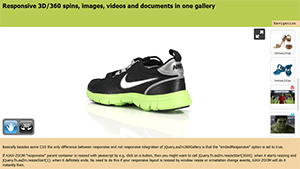
AJAX-ZOOM is a unique "Flash" free tool to present 360°/ 3D product images and plain images on the web. Users can rotate 360° object (the sprite contains a set of single images), also on Z-axis (3D multi-row) and additionally deep zoom on every frame. The adoption of the image tiles technology (image pyramid) allows the 360 product viewer to utilize high-resolution images without large compression rates. That would destroy the image quality and reduce any benefit of a high-resolution photo.
The AJAX-ZOOM 360 product viewer has full support for touch devices, e.g., pinch zoom with two fingers works great at mobile phones, tablets or touch-enabled notebooks. In the fullscreen or responsive modes, AJAX-ZOOM loads as many image tiles as needed to fit users screen resolution. Thus it provides details in best possible quality quickly also with low bandwidth connectivity, which is perfect for mobile users. The AJAX-ZOOM 360 product player can be wholly restyled (skinned) to fit any design / corporate identity.
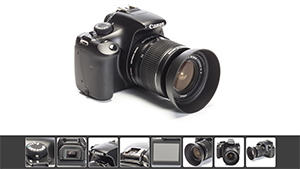
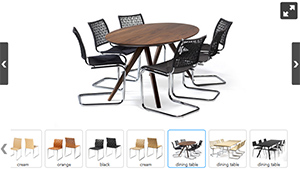
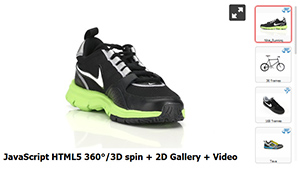
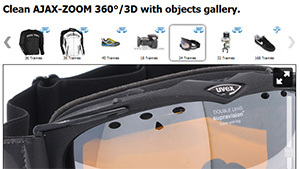
The gallery with the various 360/3D object photography examples under the player on this page is optional! Most likely, you do not need this gallery. However, AJAX-ZOOM provides an extension to build such galleries without any PHP code in a frontend template.
The player and the gallery are loading over a single javascript $.axZm360Gallery AJAX-ZOOM extension, which is very easy to configure.
The thumbnails slider for external 360 galleries is optional, and it is also one of the AJAX-ZOOM extensions that are bound to the product.
You can configure the thumbnails slider in many different ways or disable it.
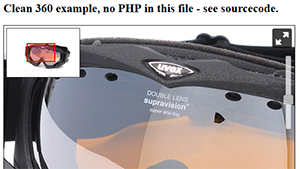
If you are looking for a pure 360 product viewer without any galleries, please see, e.g., this "clean" example.
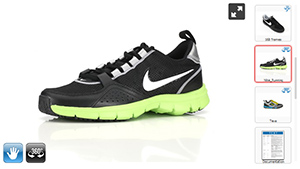
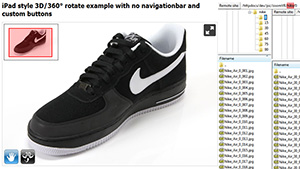
 If you do not like the toolbar below the player, see, e.g. example28,
which is fully functional without this toolbar.
Of course, you can also entirely reskin the toolbars,
enable and disable individual buttons,
disable this toolbar completely
or enableenable a different toolbar,
which looks more modern and has more options to configure.
Besides, you can reproduce the toolbar behavior with you individual buttons that you can place outside of the viewer by using the
AJAX-ZOOM API.
If you do not like the toolbar below the player, see, e.g. example28,
which is fully functional without this toolbar.
Of course, you can also entirely reskin the toolbars,
enable and disable individual buttons,
disable this toolbar completely
or enableenable a different toolbar,
which looks more modern and has more options to configure.
Besides, you can reproduce the toolbar behavior with you individual buttons that you can place outside of the viewer by using the
AJAX-ZOOM API.
Please note that this particular toolbar on that page hides by a default setting automatically on mobile devices.
The AJAX-ZOOM settings name is touchSettings,
which is an array to override any other option specifically for touch-enabled devices.
Following is some very basic technical information about AJAX-ZOOM. If you are serious about trying and implementing AJAX-ZOOM on your webpage, viewing other examples and browsing in documentation is highly recommended as the first step! After you have found an example, which does conceptually suits your needs, you should download the package and make it work on your server or localhost.
While searching for a suitable example, please do not pay too much attention to design, galleries and other stuff that does not perfectly match your requirements or that you would like to remove. Most likely, you can configure to adjust, reskin or remove that by some built-in option. The point is that AJAX-ZOOM is so flexible, that our team sometimes does not recognize the product after it is implemented and adjusted by the customers.
To load a 360 spinner, all you need is to define the directory where AJAX-ZOOM finds the images/frames of the 360 view. In most examples, you can do it by setting the value of the 3dDir parameter. The number of frames depends on the number of images in this directory. AJAX-ZOOM determined it automatically! For a single row 360 view (not spherical 3D view) you should have at least 12 images.
The more images are available, the smoother is your animation. However, the more images are there, the longer it takes to preload them. Therefore, we consider 72 images as perfectly smooth for the web; 36 images is a good average used by many customers these days. You can read about that question in more detail and test the same 360-view of a product loaded with different numbers of frames at this page.
All image processing including the generation of image tiles is done on-the-fly during the first load of AJAX-ZOOM in the browser. You can, however, pre-process all your 360 views with the provided batch tool (/axZm/zoomBatch.php);
There are several 360/3D specific options to adjust the spin behavior and the appearance. However, all other options from the plain image-zoom functionality, apply to the 360-degree functionality as well!
A small selection of the parameters has been made to be visually changed in this example (more parameters in the online documentation): Reverse spin direction. Enable | disable the blur effect. Disable | enable the navigation toolbar. Disable | enable the zoom slider and disable | enable the spin slider.
AJAX-ZOOM has several presets with options that differ from the defaults.
You can find these presets in /axZm/zoomConfigCustom.inc.php.
To load a preset, AJAX-ZOOM expects to receive the query string parameter with the name "example".
Depending on the value of this parameter, options from /axZm/zoomConfig.inc.php are overridden in /axZm/zoomConfigCustom.inc.php.
For instance, you can find the options of this example in /axZm/zoomConfigCustom.inc.php after elseif ($_GET['example'] == 17) {.
So if your changes in /axZm/zoomConfig.inc.php do not affect anything,
look for the same options in /axZm/zoomConfigCustom.inc.php at the appropriate place.
Learn more about how to set up options and options sets best.
To interested developers, AJAX-ZOOM offers a variety of methods and callbacks to develop highly customized applications. Alternatively, we can create an individual application as custom work for you.
free download with sample images and all the examplesThe below code is taken from example15_clean.php. For a 360 gallery and other examples, please see the derived examples above.
							<!--  Include jQuery core, only if not already present -->
							<script src="https://ajax.googleapis.com/ajax/libs/jquery/1.8.2/jquery.min.js"></script>

							<!--  AJAX-ZOOM javascript && CSS -->
							<link href="../axZm/axZm.css" type="text/css" rel="stylesheet" />
							<script type="text/javascript" src="../axZm/jquery.axZm.js"></script>
<div class="embed-responsive" style="padding-bottom: 60%;">
	<!-- Placeholder for AJAX-ZOOM player -->
	<div id="axZmPlayerContainer" class="embed-responsive-item" style="max-height: 94vh; max-height: calc(100vh - 50px);">
		Loading, please wait...
	</div>
</div>
// Create empty object variable
var ajaxZoom = {};

// Define callbacks, for complete list check the docs
// https://www.ajax-zoom.com/index.php?cid=docs#API_CALLBACKS
ajaxZoom.opt = {
	onBeforeStart: function(){
		// Some of the options can be set directly as js var in this callback
		jQuery.axZm.spinReverse = true;

		$.axZm.zoomSlider = false;
		$.axZm.spinSlider = false;
	}
};

// Define the path to the axZm folder, adjust the path if needed!
ajaxZoom.path = "../axZm/";

// Define your custom parameter query string
// example=17 has many presets for 360 images*
// 3dDir - best of all absolute path to the folder with 360/3D images

// *By defining the query string parameter in ajaxZoom.parameter example=17
// some default settings from /axZm/zoomConfig.inc.php are overridden in
// /axZm/zoomConfigCustom.inc.php after elseif ($_GET['example'] == 17) {.
// So if changes in /axZm/zoomConfig.inc.php have no effect -
// look for the same options /axZm/zoomConfigCustom.inc.php;
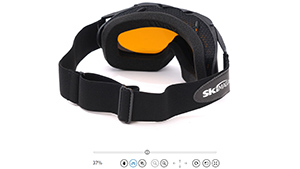
ajaxZoom.parameter = "example=17&3dDir=/pic/zoom3d/Uvex_Occhiali";

// The ID of the element (placeholder) where AJAX-ZOOM has to be inserted into
ajaxZoom.divID = "axZmPlayerContainer";

jQuery(document).ready(function() {

	// Open AJAX-ZOOM responsive
	$.fn.axZm.openResponsive(
		ajaxZoom.path, // Absolute path to AJAX-ZOOM directory, e.g. "/axZm/"
		ajaxZoom.parameter, // Defines which images and which options set to load
		ajaxZoom.opt, // callbacks
		ajaxZoom.divID, // target - container ID (default "windo"- fullscreen)
		false, // apiFullscreen- use browser fullscreen api mode if available
		true, // disableEsc - prevent closing with Esc key
		false // postMode - use POST instead of GET
	);
});
AJAX-ZOOM is a powerful and universally applicable image zoom & pan software with 360° degree / 3D object rotation functions, mouseover zoom extension and other extensions like various image galleries. It has all features for implementation into responsive and non-responsive layouts.
The development of AJAX-ZOOM takes place in Germany. The first release dates back to the year 2010. From then until now it has been continuously improved, enhanced and supported. AJAX-ZOOM uses jQuery (JavaScript) and PHP.
With this fully featured solution, it is possible to present even ultra-high-resolution photos and 360 product views online in best quality. Via the approximately 400 optional parameters and CSS, AJAX-ZOOM is very flexibly configurable and re-skinnable. All controls can be individually disabled and/or changed in their appearance. Seamless integration into any web page is thus guaranteed.
All you need is, e.g. a LAMP (Linux, Apache, MySQL, and PHP) web server. However, you can also implement AJAX-ZOOM into ASP.NET / IIS web applications without PHP via "Phalanger". For optimal quality and speed, AJAX-ZOOM offers full ImageMagick® support, although LibGD, which part of any default PHP installation, is generally sufficient. The supported image file types are JPG, TIF, PNG, BMP, GIF and PSD (TIF & PSD only with "ImageMagick").

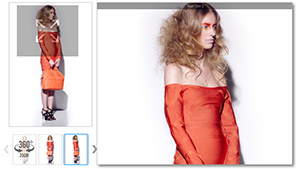
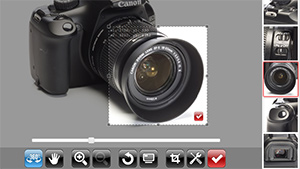
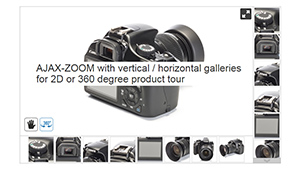
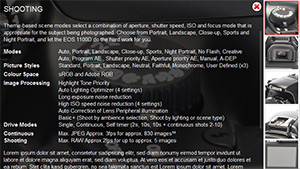
"pngMode" - set it to auto as the value, and enable the "pngKeepTransp" option.
Free Scientific World Template
Is this compatible with VirtueMart?
Thank you.
This is for an ecommerce clorhing store products.
It is very difficult to take say more than 5-8 angles for items like shirts, trousers etc.(it is not economical).
Exactly what I was looking for and I love all the customisation options.
Can it, then start the rotation by clicking the mouse on the image
As videoplayer ?